Call Logs
Call Logs
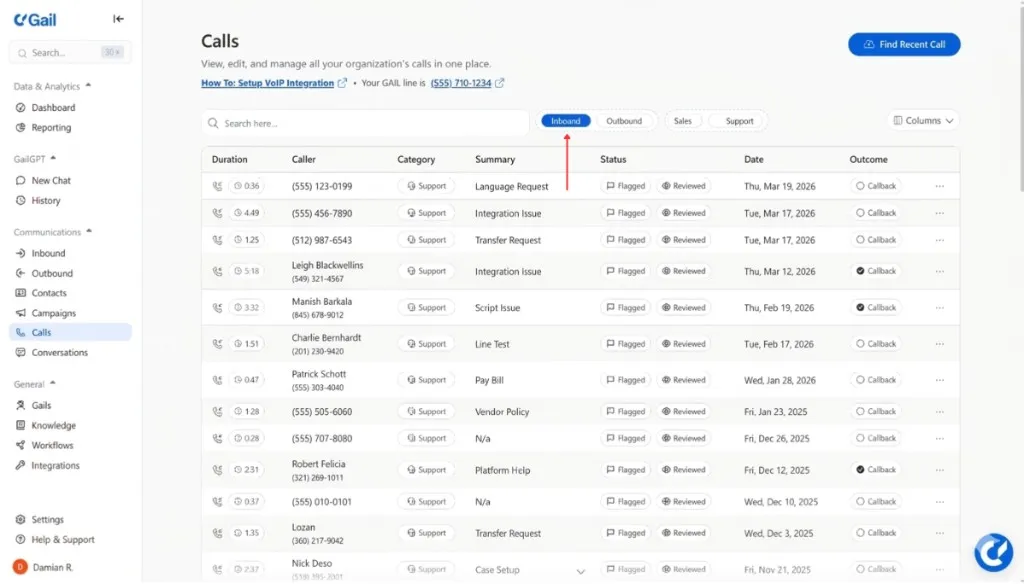
Call logs provide a complete record of every call, including transcripts, recordings, and metadata.
Accessing Call Logs
Navigate to Analytics → Call Logs to view all calls.
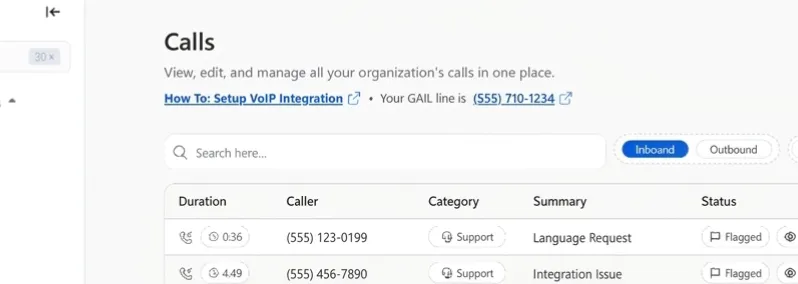
Call List View
The list view shows:
Sorting & Filtering
Sort by any column and filter by:
- Date range
- Agent
- Outcome (resolved, transferred, etc.)
- Duration range
- Sentiment
- Phone number
Quick Search
Search across all calls by:
- Phone number
- Transcript content
- Agent name
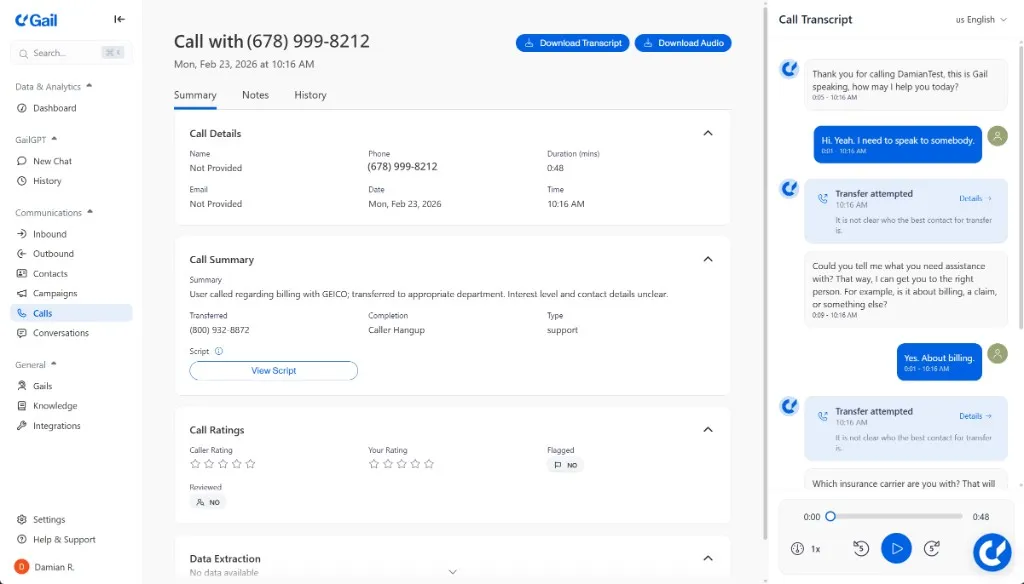
Call Detail View
Click any call to see full details:
Overview
- Call ID - Unique identifier
- Start/End Time - Precise timestamps
- Duration - Total call length
- Direction - Inbound or outbound
- Agent - Which agent handled the call
- Phone Number - Number used
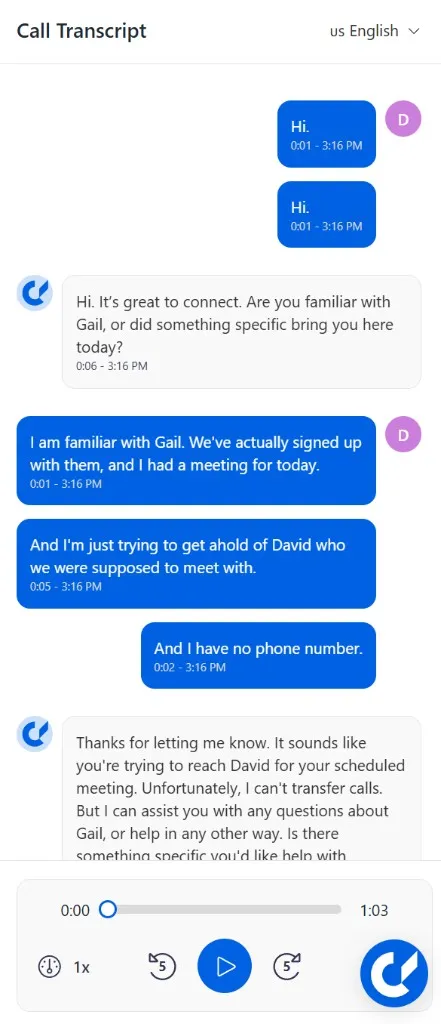
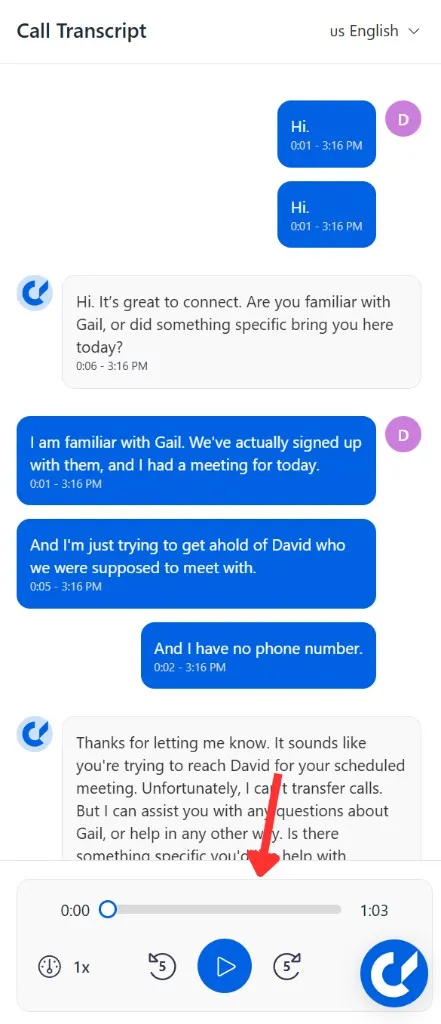
Transcript
Full text of the conversation:
Transcript Features:
- Timestamps for each turn
- Speaker identification
- Searchable text
- Downloadable as text file
Recording
Audio recording of the call:
- Play/pause controls
- Seek to any point
- Playback speed adjustment (0.5x - 2x)
- Download audio file
Call recording can be disabled in settings if not required or not permitted in your jurisdiction.
Intent & Actions
What the caller wanted and what the agent did:
Detected Intents:
- Order status inquiry
- Shipping question
Actions Taken:
- Retrieved order information
- Sent tracking link via SMS
Metadata
Additional call data:
Sentiment Analysis
AI-analyzed caller sentiment throughout the call:
- Overall Sentiment - Positive/Neutral/Negative
- Sentiment Timeline - How sentiment changed during the call
- Key Moments - Points where sentiment shifted
Bulk Operations
Select multiple calls to:
- Export to CSV
- Download recordings
- Add tags
- Delete (if permitted)
Call Quality
Each call includes quality metrics:
- Audio Quality - Clarity of recording
- Transcription Confidence - Accuracy of transcript
- Network Quality - Connection stability
Compliance Features
Redaction
Sensitive information can be automatically redacted:
- Credit card numbers
- Social security numbers
- Custom patterns
Audit Trail
Track who accessed call records:
- User who accessed
- Timestamp
- Action taken
Export Options
Individual Call
Download for a single call:
- Transcript (TXT/JSON)
- Recording (MP3/WAV)
- Metadata (JSON)
Bulk Export
Export multiple calls:
Retention & Deletion
Retention Periods
Manual Deletion
Delete specific calls:
- Select calls to delete
- Click Delete
- Confirm deletion
Deleted call data cannot be recovered. Ensure you’ve exported any needed data before deletion.
Next Steps
- Analytics Overview - See high-level dashboards and analyze trends