
Applying for SMS Approval
Before you can run SMS campaigns, your agency must apply for and receive SMS approval. This ensures compliance with messaging regulations and prevents delivery issues.
SMS approval typically takes 5-7 business days. This timeline is determined by the SMS provider, not Gail.
Prerequisites
Before applying for SMS approval, ensure:
- Your agency is verified as a business in Gail
- Your website has TCPA-compliant SMS consent mechanisms
- You have clear opt-in and opt-out processes documented
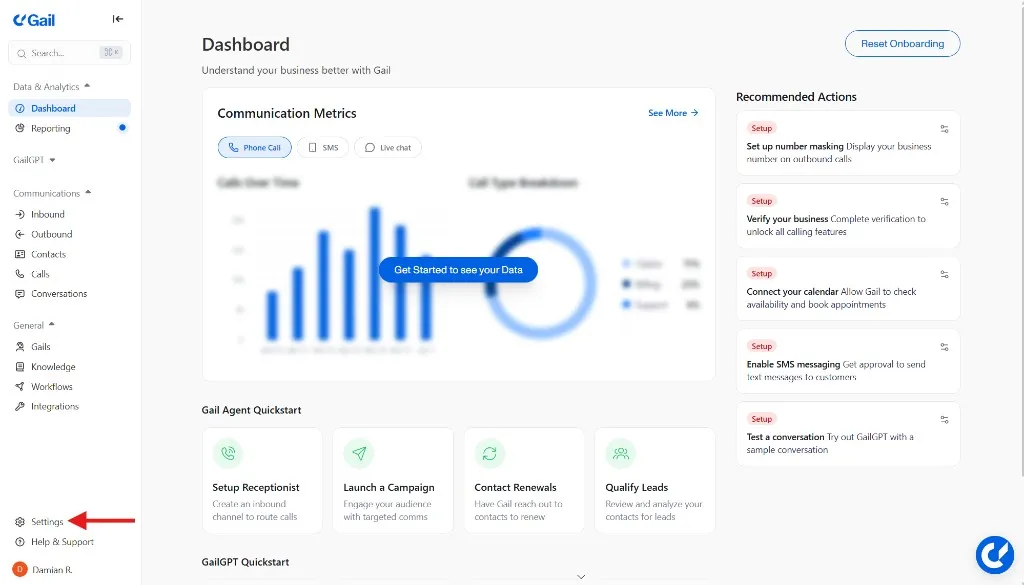
Step 1: Navigate to Settings
From the left-hand menu, click Settings.
Step 2: Verify Your Business
Ensure your agency is verified as a business.
- If not already verified, complete the Verify Phone process under the Verify Phone section
- Once verified, the section will display VERIFIED
You must complete business verification before you can apply for SMS approval.
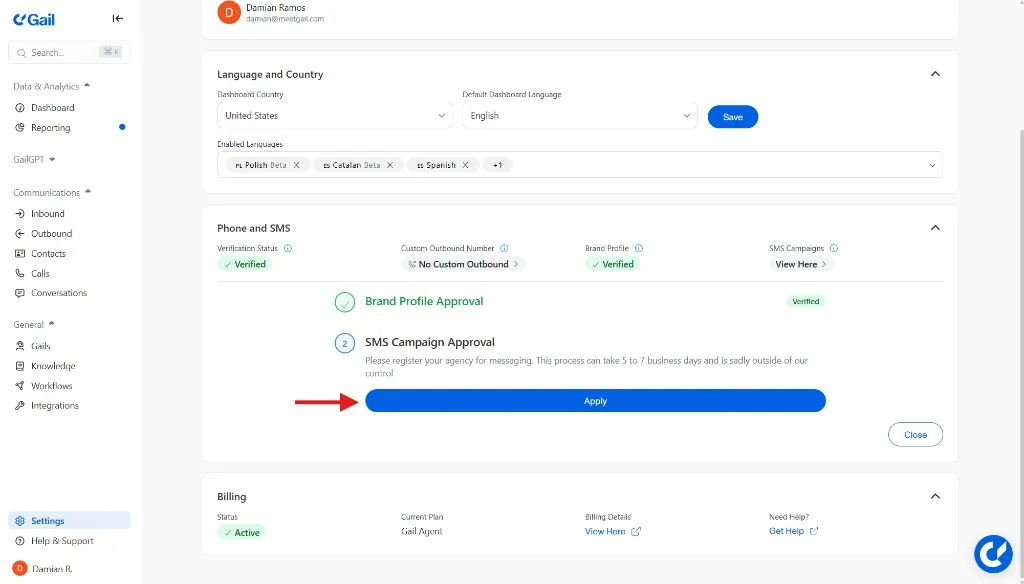
Step 3: Start SMS Verification
- Scroll down to the Verify Messaging section
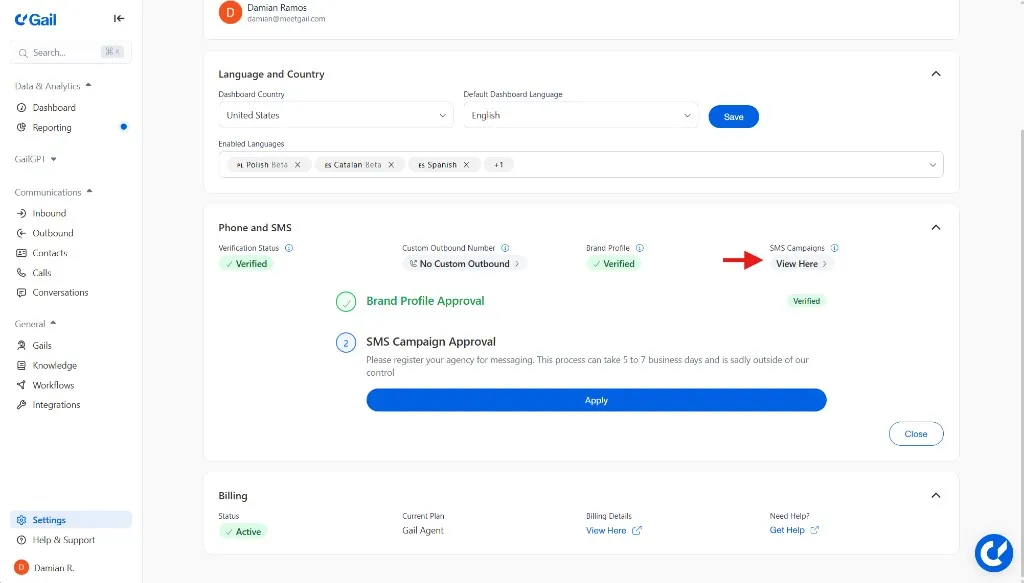
- Click the Apply button to begin
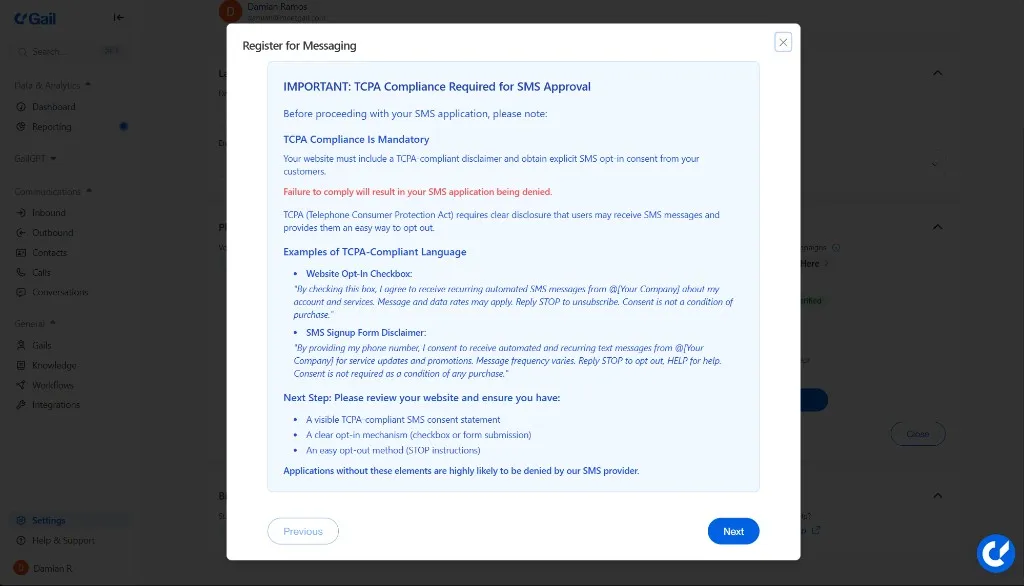
Step 4: Review TCPA Disclaimer
A pop-up disclaimer will appear reminding you of TCPA compliance requirements.
TCPA Compliance Requirements
Your website must:
- Display a TCPA-compliant SMS consent statement
- Have a clear opt-in mechanism (checkbox/form)
- Provide an easy opt-out option (STOP/HELP)
Click Next when ready.
TCPA compliance is a legal requirement. Ensure your website meets all requirements before proceeding.
Step 5: Select Your Use Case
Choose the messaging category that best fits your business needs:
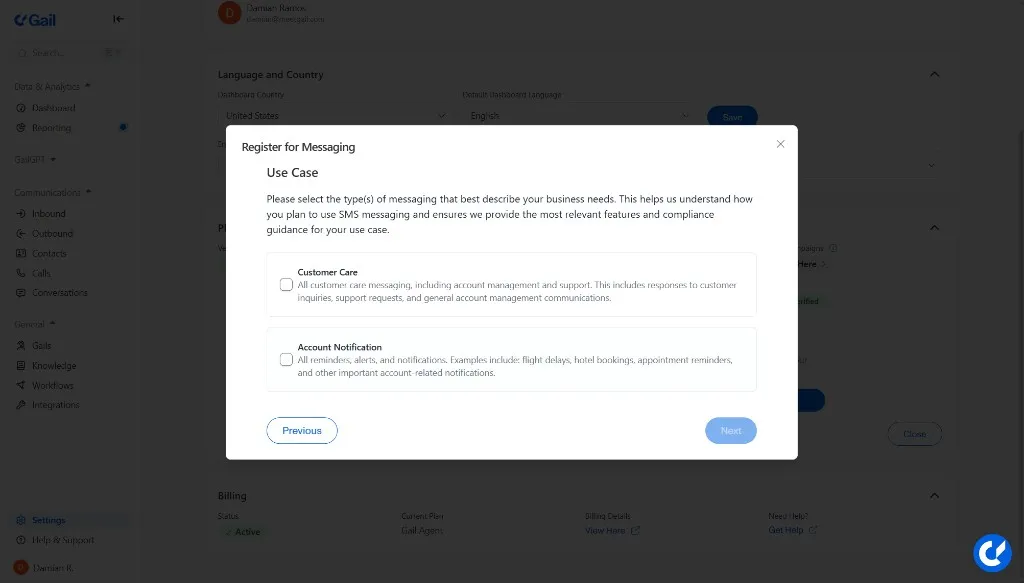
Click Next after selecting your use case.
Step 6: Describe Your Use Case
Provide details about how you will use SMS messaging.
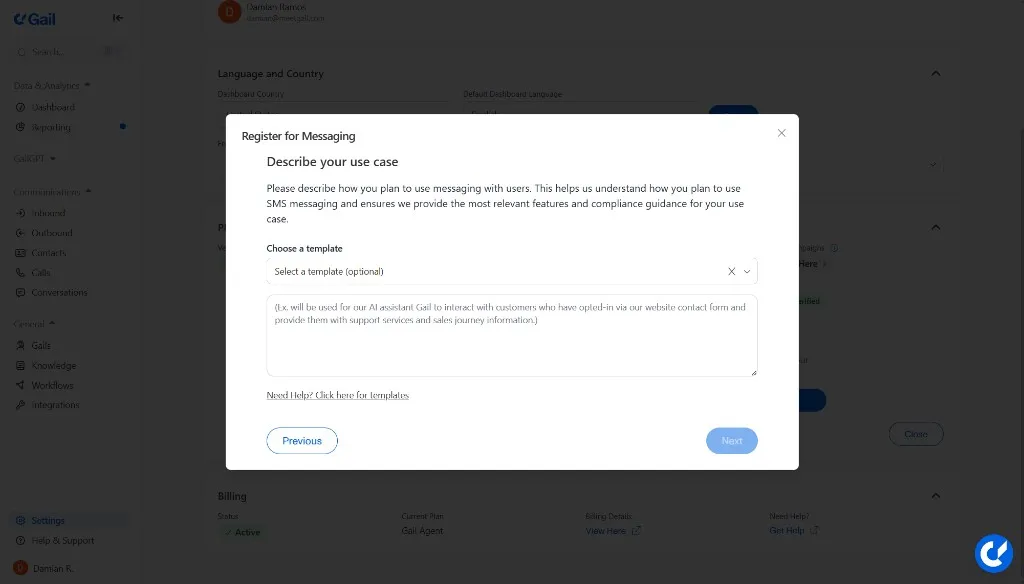
You may:
- Type your own description, OR
- Select a pre-provided template and edit the bracketed fields
Example description:
Click Next when complete.
Step 7: Define Your Opt-In Process
Thoroughly describe how customers give consent to receive SMS. Answer these key questions:
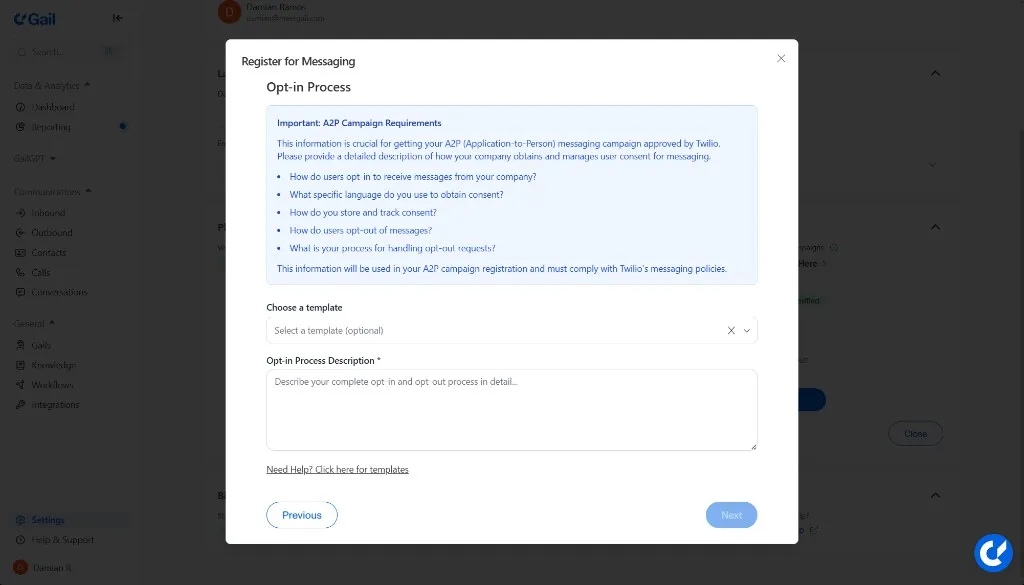
Required Information
-
How do users opt in?
- Describe the specific method (web form, checkbox, verbal consent, etc.)
-
What consent language is used?
- Provide the exact wording customers see/hear
-
How is consent stored and tracked?
- Explain your record-keeping process
-
How do users opt out?
- Describe the opt-out mechanism (STOP keyword, unsubscribe link, etc.)
-
How are opt-out requests handled?
- Explain your process for honoring opt-out requests
Example opt-in description:
You may also use a template provided by Gail.
Click Next when finished.
Step 8: Add Message Templates
Provide at least two example SMS messages that you plan to send.
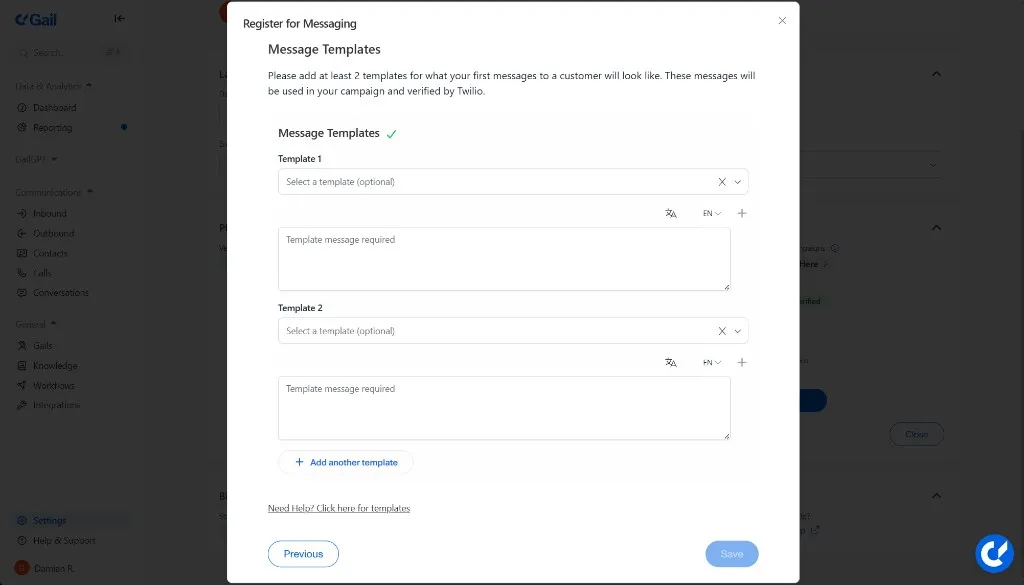
Example Message Templates
Appointment Reminder:
Policy Renewal:
You can type your own or select from system-provided templates.
Include realistic examples that represent the types of messages you’ll actually send. This helps ensure faster approval.
Step 9: Submit Your Application
Once you’ve added two or more message templates:
- Review all information for accuracy
- Click Save
- Your application will be submitted for review
After Submission
What Happens Next
- Your application enters review with the SMS provider
- You’ll receive a notification once the review is complete
- Approval typically takes 5-7 business days
Checking Status
Check your SMS approval status at Settings → Verify Messaging:
If Approved
Once approved, you can:
- Create and send SMS campaigns
- Send text reminders and notifications
- Use SMS in outbound sequences
Best Practices
Compliance Tips
- Always obtain clear, affirmative consent before sending SMS
- Include opt-out instructions in every message
- Honor opt-out requests immediately
- Keep detailed records of consent
Message Guidelines
- Keep messages concise and relevant
- Include your agency name
- Provide value in every message
- Send messages during appropriate hours (varies by state)
Avoiding Rejections
Common reasons for rejection:
- Vague or incomplete use case descriptions
- Missing opt-in/opt-out processes
- Non-compliant message templates
- Lack of TCPA compliance on website
Ensure all information is accurate and complete to avoid delays in approval.
Troubleshooting
Application Rejected
If your application is rejected:
- Review the information provided
- Make the necessary corrections
- Resubmit your application and email support@meetgail.com
Approval Taking Longer Than Expected
If your approval is taking longer than 7 business days:
- Check your email for any requests for additional information
- Contact Gail support for an update at support@meetgail.com
- Ensure you’ve responded to any provider inquiries
Next Steps
- Team Management - Manage team access
- Billing & Usage - Monitor SMS usage
- Creating Campaigns - Set up your first SMS campaign