
Billing & Usage
Billing & Usage
Manage your Gail subscription and access your previous invoices.
Current Plan
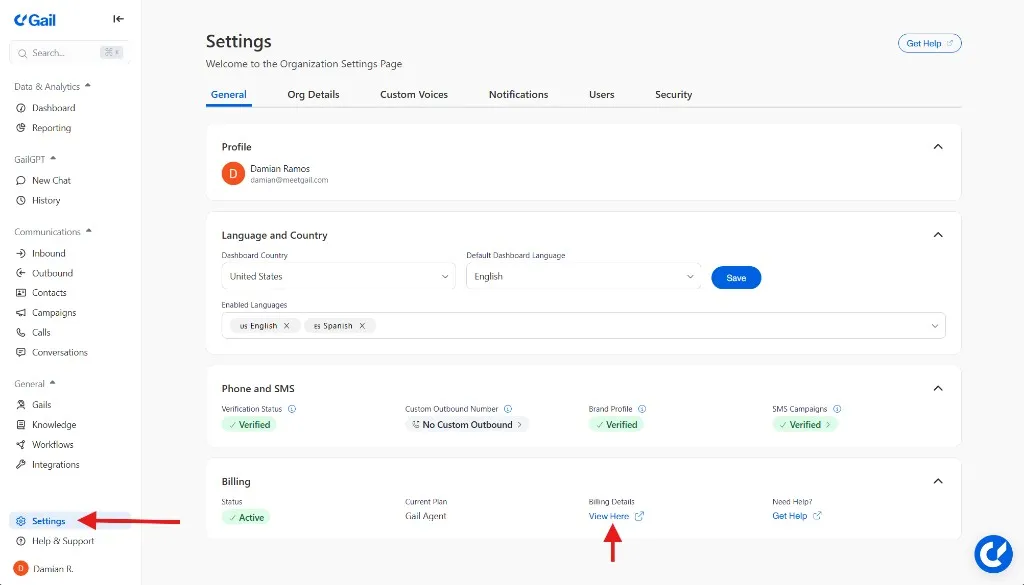
View your current plan at Settings → Billing:
Plan Features
Changing Plans
Upgrading
- Go to Settings → Billing Details → View Here
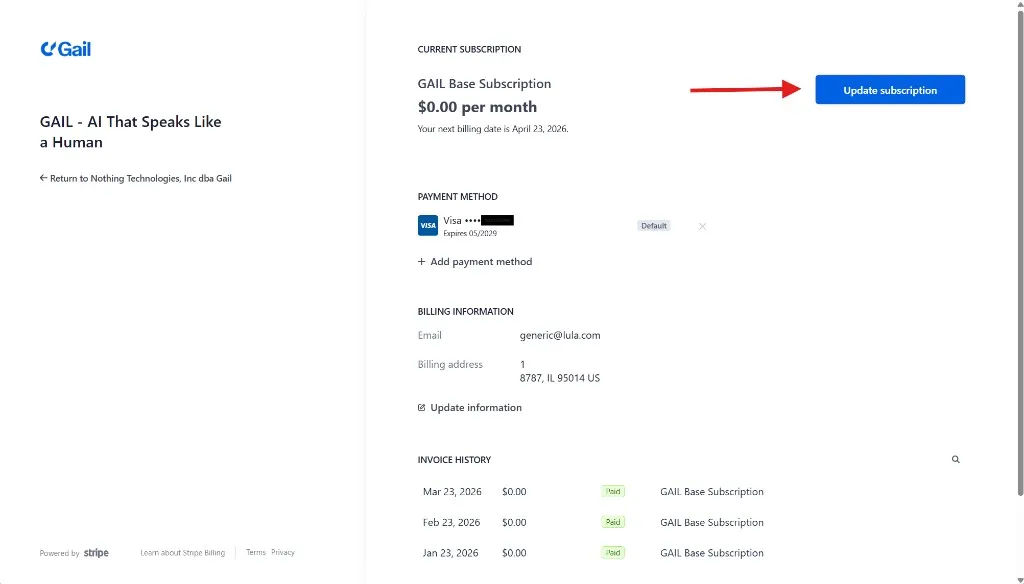
- Click Update Subscription
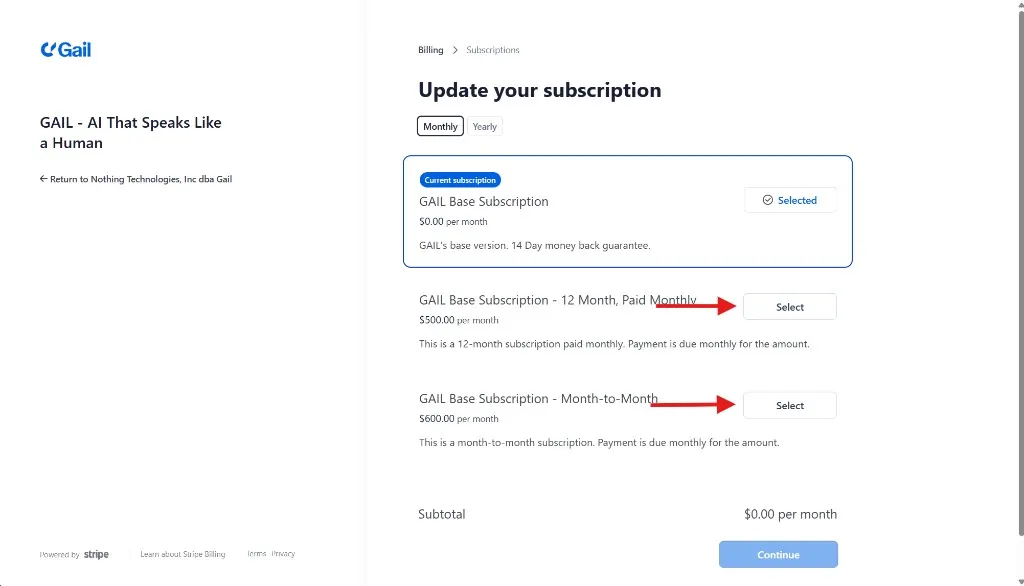
- Select a higher plan
- Review changes
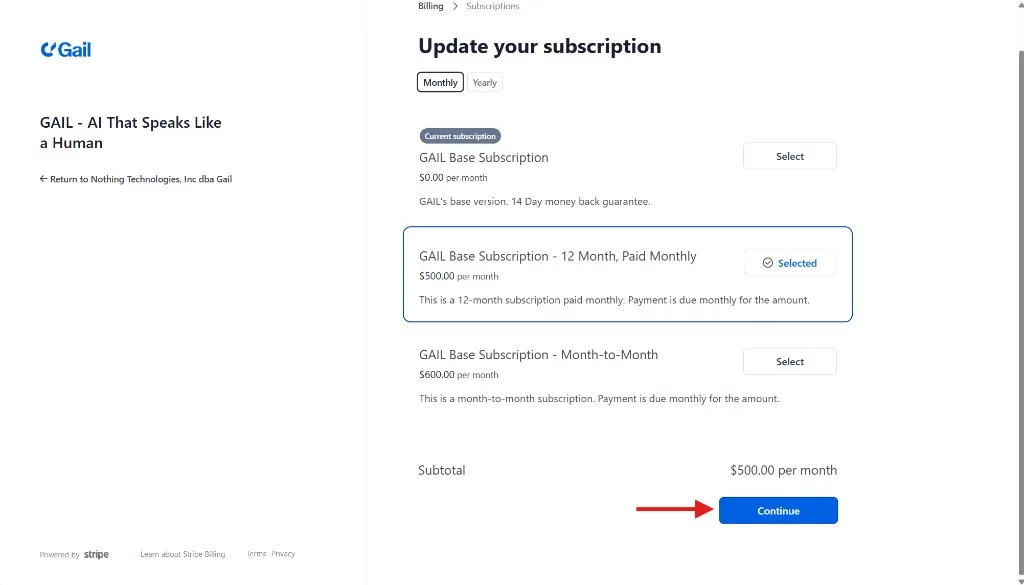
- Confirm upgrade
Upgrades take effect immediately. You’re charged a prorated amount.
Downgrading
- Click Change Plan
- Select a lower plan
- Review what you’ll lose
- Confirm downgrade
Downgrades take effect at the next billing cycle.
Before downgrading, ensure you’re within the new plan’s limits (agents, numbers, etc.).
Payment Methods
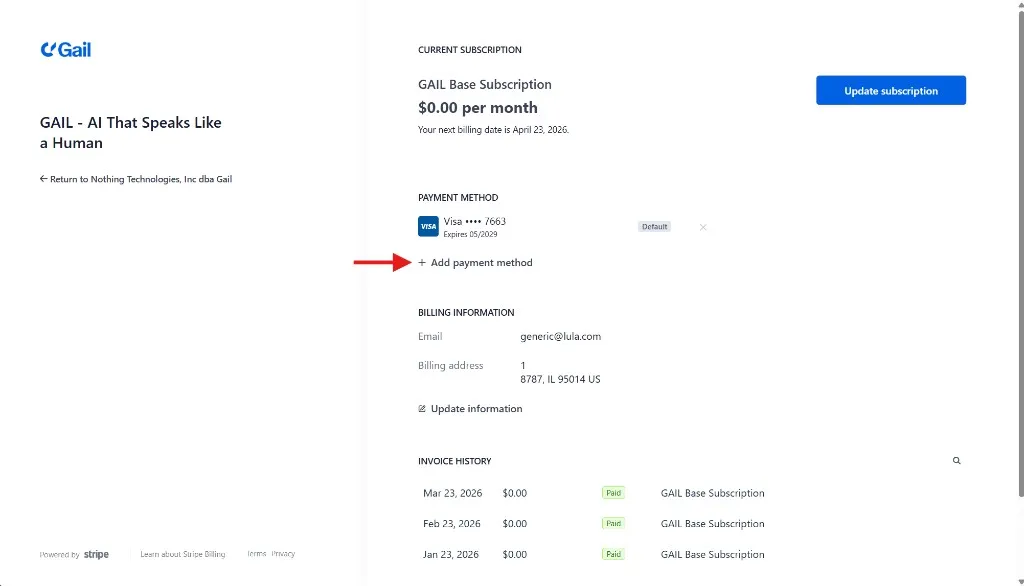
Adding a Payment Method
- Go to Settings → Billing → Payment Methods
- Click Add Payment Method
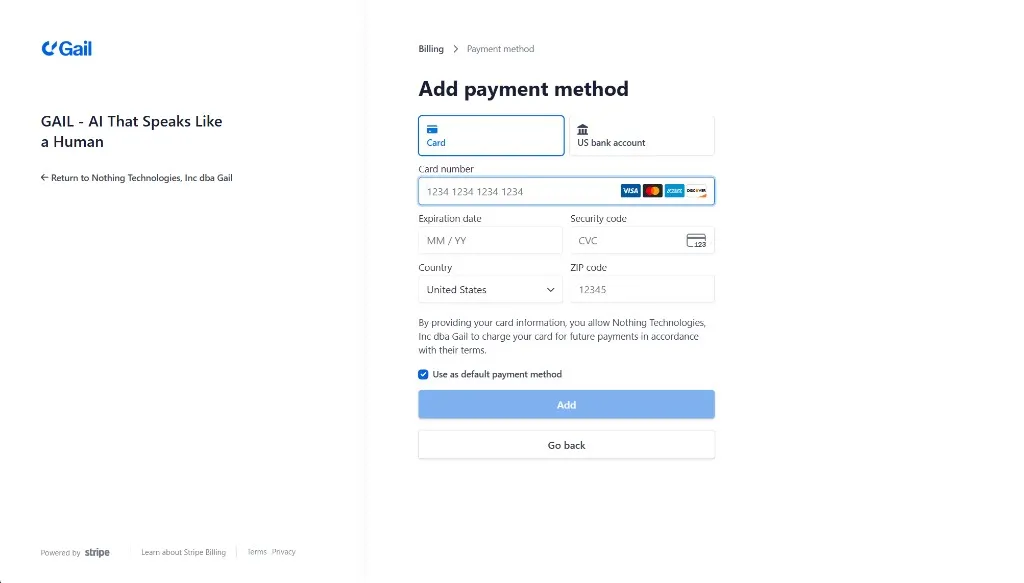
- Enter card details
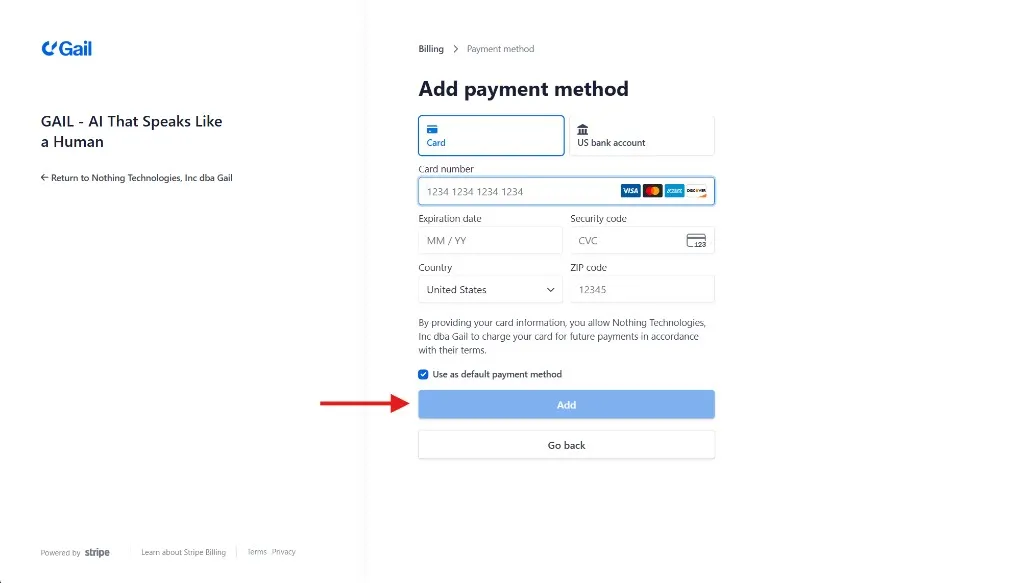
- Save
Accepted Payment Methods
- Credit cards (Visa, Mastercard, Amex)
- Debit cards
- ACH bank transfer (Enterprise)
- Wire transfer (Enterprise)
Updating Payment Method
- Click on the payment method
- Update details
- Save changes
Removing Payment Method
You must have at least one payment method on file for active subscriptions.
Invoices
Viewing Invoices
Access all invoices at Settings → Billing → Invoices:
Invoice Details
Each invoice includes:
- Plan charges
- Minute overages (if any)
- Phone number fees
- Additional services
- Taxes
Billing Email
Invoices are sent to the billing email address. Update it at:
Settings → Billing → Billing Contact
Overages
How Overages Work
If you exceed your plan’s included minutes:
- Service may be paused or can continue uninterrupted depending on the plan you are on
- Overages are billed at per-minute rates
- Charges appear on next invoice
Billing Cycle
Monthly Billing
- Charged on the same day each month
- Based on your signup date
- Includes base plan + any overages
Annual Billing
Save with annual billing:
- 2 months free (pay for 10, get 12)
- One annual payment
- Same great service
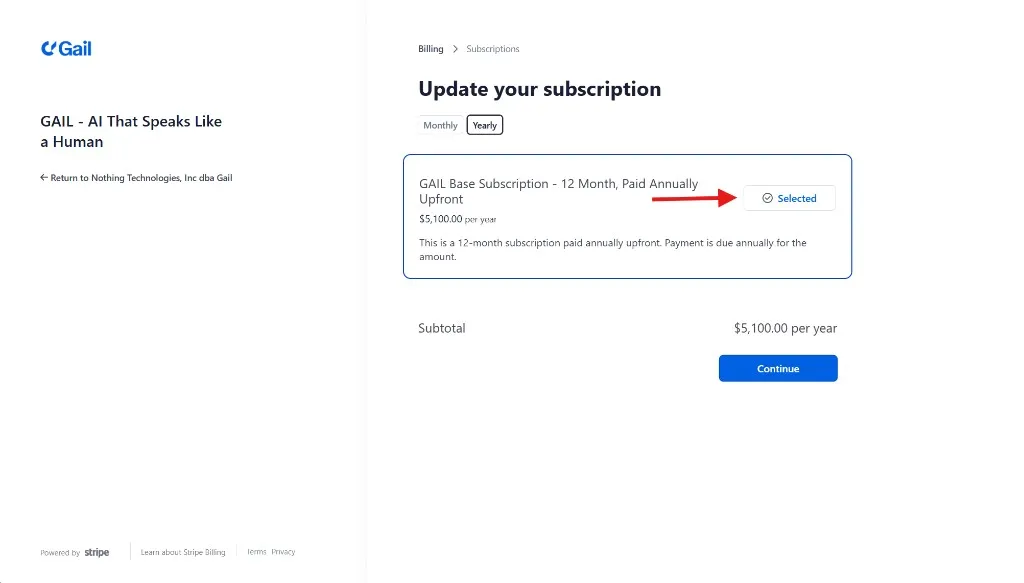
To switch to annual:
- Go to Settings → Billing
- Click Update Subscription
- Click Yearly
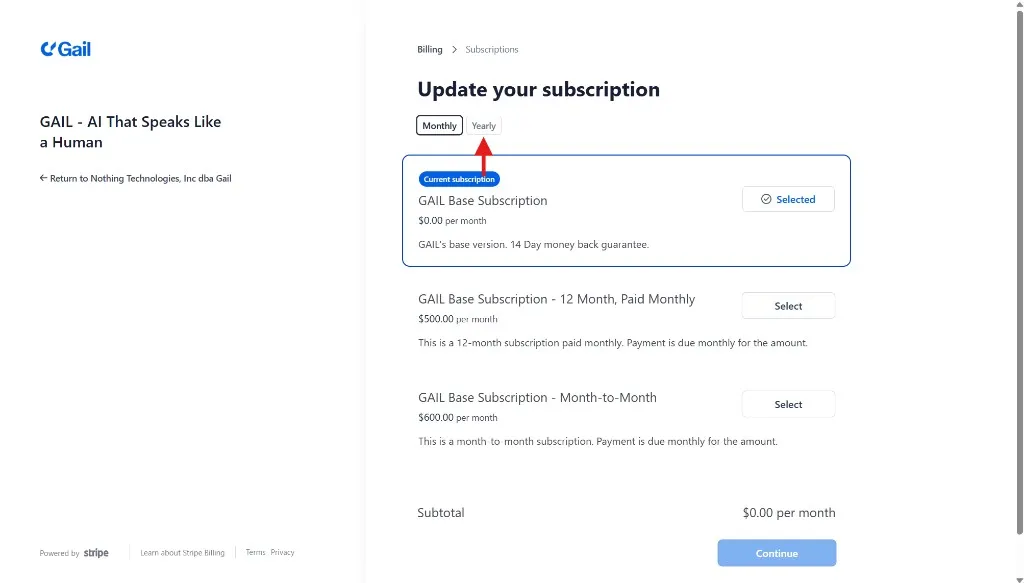
- Click the Select button
- Click Continue
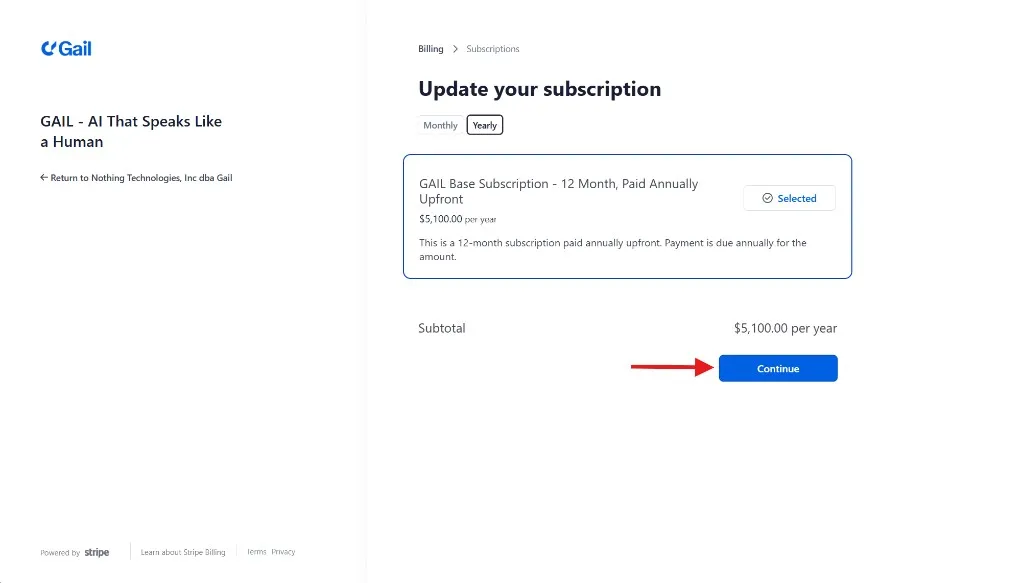
- Confirm
Credits & Promotions
Referral Credits
Earn credits by referring others:
- You get: $50 credit
- They get: $50 credit
- Both applied after first payment
Cancellation
Canceling Your Subscription
- Email support@meetgail.com
- Request to cancel your subscription
- We will reach out to you by the end of the business day to assist you
What happens:
- Access continues until end of billing period
- Data retained after cancellation
Reactivating
To reactivate a canceled account:
- Log in to your account
- Go to Settings → Billing
- Click Reactivate
- Choose a plan
Next Steps
- Team Management - Manage team access
- Security Settings - Configure security