
Campaign Sequences
Sequences allow you to create sophisticated multi-step outreach flows in Advanced campaigns. Instead of a single call attempt, you can define multiple outreaches across one or more sequences — each with its own timing, script, and target segment.
Understanding Sequences
A sequence is a named flow that contains one or more outreaches (individual contact attempts). Each outreach specifies when to dial and which script to use.
Creating Sequences
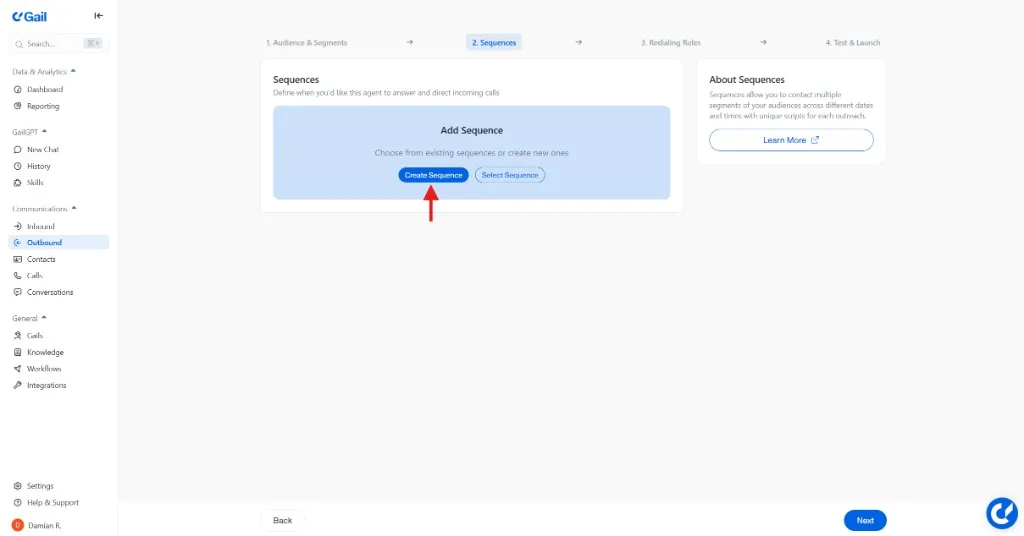
Sequences are configured in the Sequences step of the Advanced campaign builder.
Getting Started
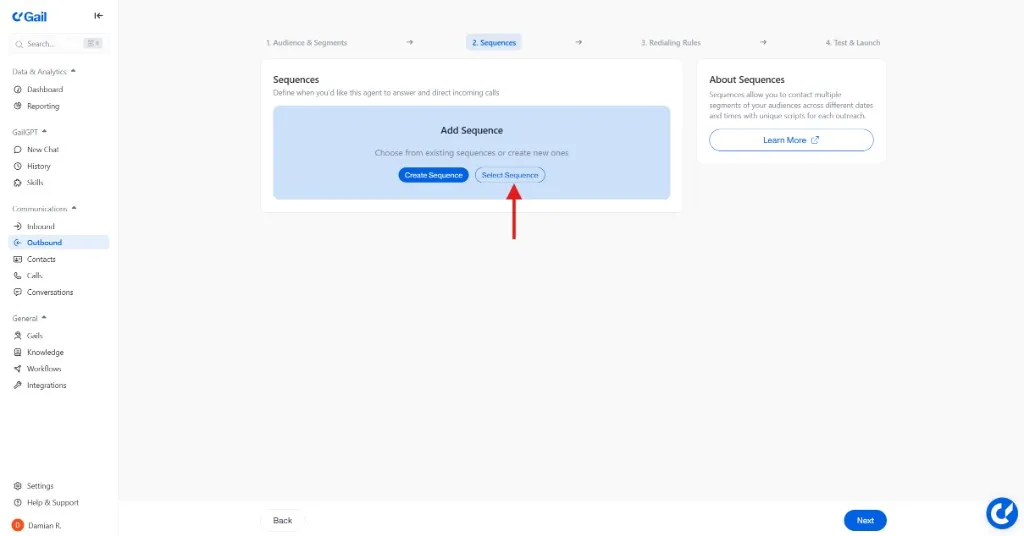
You have two options:
- Create Sequence — Build a new sequence from scratch
- Select Existing Sequence — Reuse a sequence already defined in your organization
Configuring a Sequence
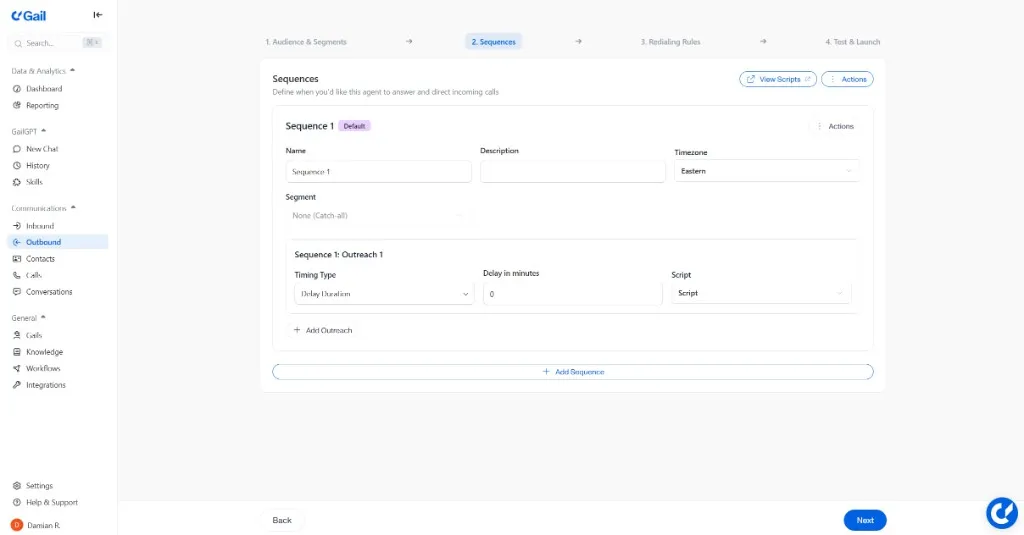
Each sequence requires:
Adding Outreaches
Within each sequence, add one or more outreaches using Add Outreach. Each outreach needs:
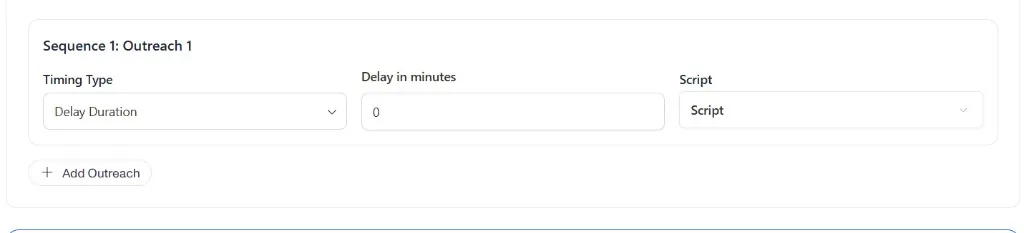
Timing Options
Validation
The campaign builder validates that all sequences are complete before you can proceed:
- At least one sequence must exist
- Every sequence must have the required fields filled in
- Each outreach must have valid timing and a script selected
Error messages reference specific sequence and outreach numbers (e.g., “Sequence 2: Outreach 1 — Script is required”) so you can locate and fix issues quickly.
AI-Assisted Sequences
Use Have Gail Help to have Gail review and suggest improvements to your sequences. Gail can analyze your sequence structure and recommend changes to timing, scripts, or outreach order.
Best Practices
Respect Contact Fatigue
Limit total attempts to avoid annoying contacts:
- Maximum 3-5 attempts for most campaigns
- Spread attempts over appropriate time periods
- Always provide opt-out options
Test Before Scaling
Run sequences with small groups first:
- Test with sample contacts
- Review call recordings and outcomes
- Adjust timing and scripts
- Scale gradually
Monitor and Optimize
Regularly review sequence performance:
- Identify steps with high drop-off
- A/B test different approaches
- Adjust timing based on data
Next Steps
- Redialing Rules - Fine-tune retry behavior
- Creating Campaigns - Apply sequences to campaigns