
Redialing Rules
Redialing rules give you precise control over how and when contacts are called back. These rules help you balance persistence with respect for contact preferences and regulatory compliance.
Understanding Redialing
When a call doesn’t reach its intended outcome, the system can automatically schedule a retry. Redialing rules determine:
- How many times to retry
- How long to wait between attempts
- Which phone numbers to try
- When to stop trying
Configuring Redialing Rules
Accessing Redialing Rules
In the campaign builder, the Redialing Rules step appears in Advanced campaigns. You can:
- Select an existing rule from your organization
- Create a new rule directly within the campaign
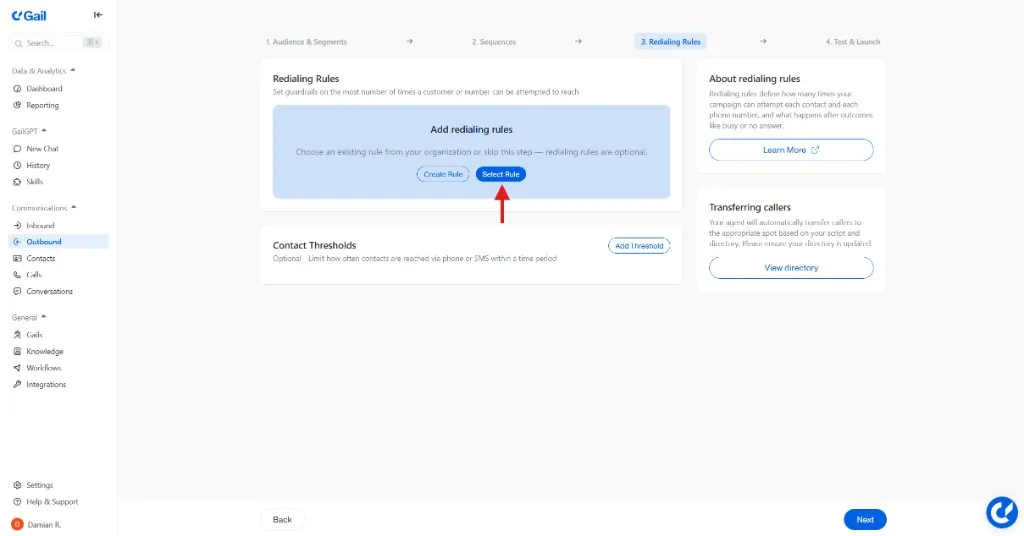
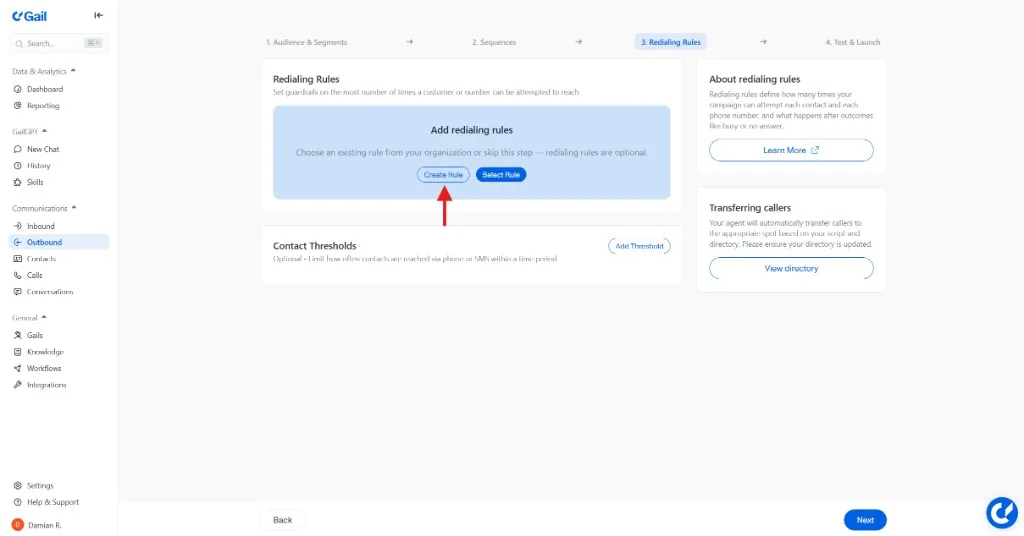
You can also manage redialing rules from the dedicated Redialing Rules list page, where you can create, duplicate, and archive rules independently of any campaign.
Maximum Attempts
Set limits on how many times a contact is called:
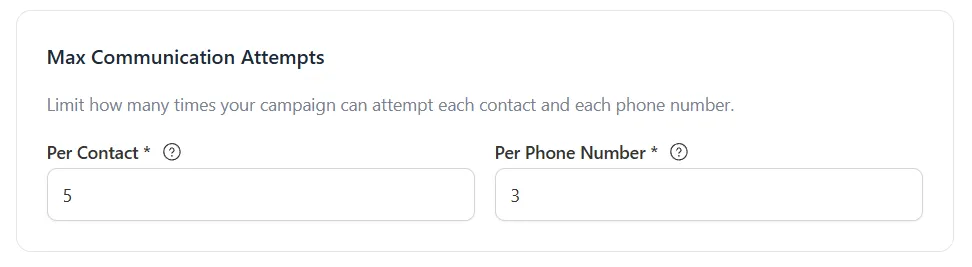
Example Configuration:
This means:
- Each contact receives at most 6 call attempts total
- No single phone number is called more than 3 times
Retry Delays
Configure how long to wait before retrying:
Shorter delays can improve connection rates during business hours, but be careful not to call too frequently. Most contacts find more than 2 calls per day excessive.
Outcome Rules
Define what happens after each call outcome. Each outcome can have multiple actions, and actions must be unique within an outcome.
For each outcome rule, configure:
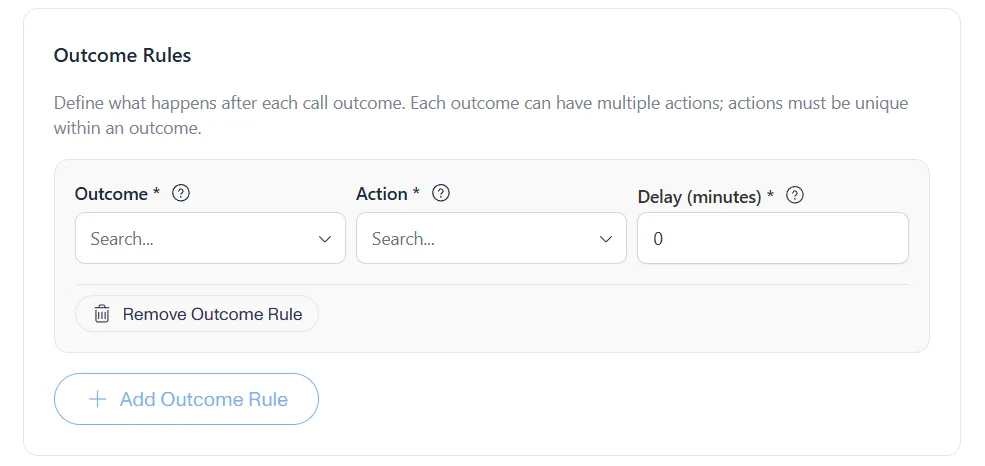
Use Add Outcome Rule to add rules for different outcomes, and Add Outcome Action to add additional actions within the same outcome.
Example rules:
Custom Outcomes
In addition to standard outcomes, you can define custom outcomes with a name and definition. Custom outcomes can then be used in your outcome rules above.
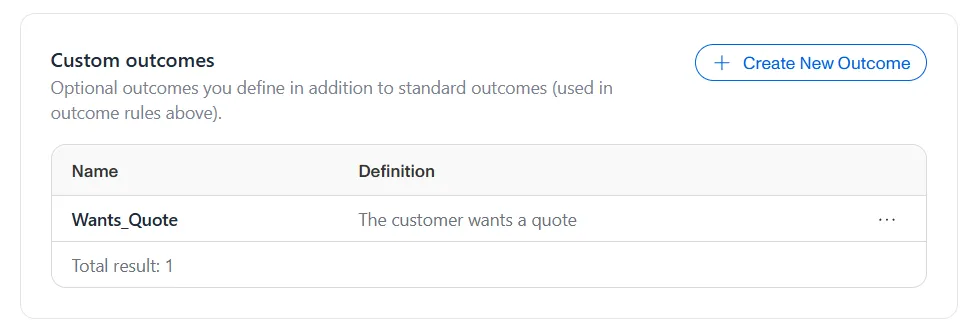
When removing a custom outcome that is used in existing rules, the platform will warn you and remove the associated outcome rules automatically.
Contact Thresholds
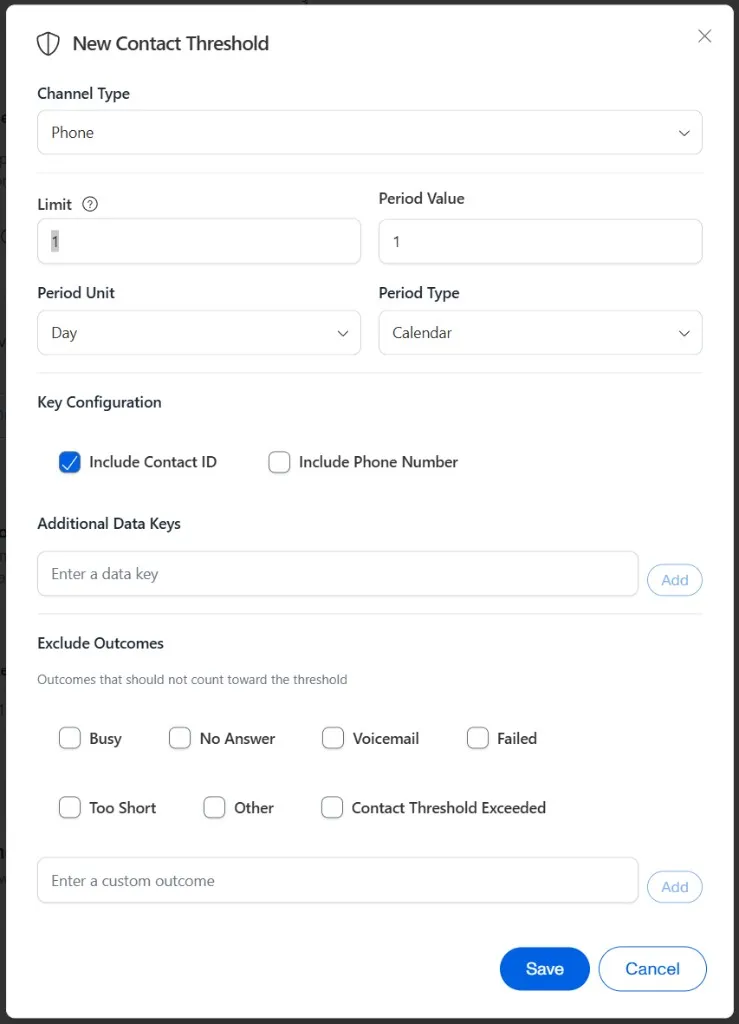
Optionally limit how often contacts are reached via phone or SMS within a time period. Thresholds support the following period units:
- Minute, Hour, Day, Week, Month
AI-Assisted Redialing Rules
Use Have Gail Help to have Gail review your redialing rule and suggest improvements. You can also use Create Redialing Rule to have Gail generate a rule from scratch based on your campaign’s goals.
Compliance Considerations
Regulatory Requirements
Ensure your redialing rules comply with regulations:
Consult legal counsel to ensure your redialing rules comply with all applicable regulations. Non-compliance can result in significant fines.
Automatic DNC Handling
When a contact opts out:
- Call is immediately terminated
- Add the contact to your DNC list
- All scheduled retries are cancelled
- Contact is excluded from future campaigns
Optimization Tips
- High attempts per connect → Increase delays, try different times
- Low redial success → Verify number quality, adjust timing
- High DNC rate → Reduce frequency, improve scripts
- High complaints → Review scripts, reduce aggressiveness
Best Practices
Start Conservative
Begin with modest retry limits:
- 3-4 total attempts
- 4+ hours between attempts
- No more than 2 per day
Increase only if metrics support it.
Respect Business Hours
Most successful calls happen during:
- Consumers: 10 AM - 8 PM local time
- Business: 9 AM - 5 PM local time
Avoid early mornings, late evenings, and meal times.
This helps with compliance audits and optimization.
Next Steps
- Sequences - Create multi-step outreach flows
- Managing Contacts - Organize your contact lists