
Process a Daily CSV
Plenty of partners drop a file of new leads on a server every night. This guide builds a workflow that runs each morning, downloads that file, reads it row by row, and adds every lead as a contact, all on its own.
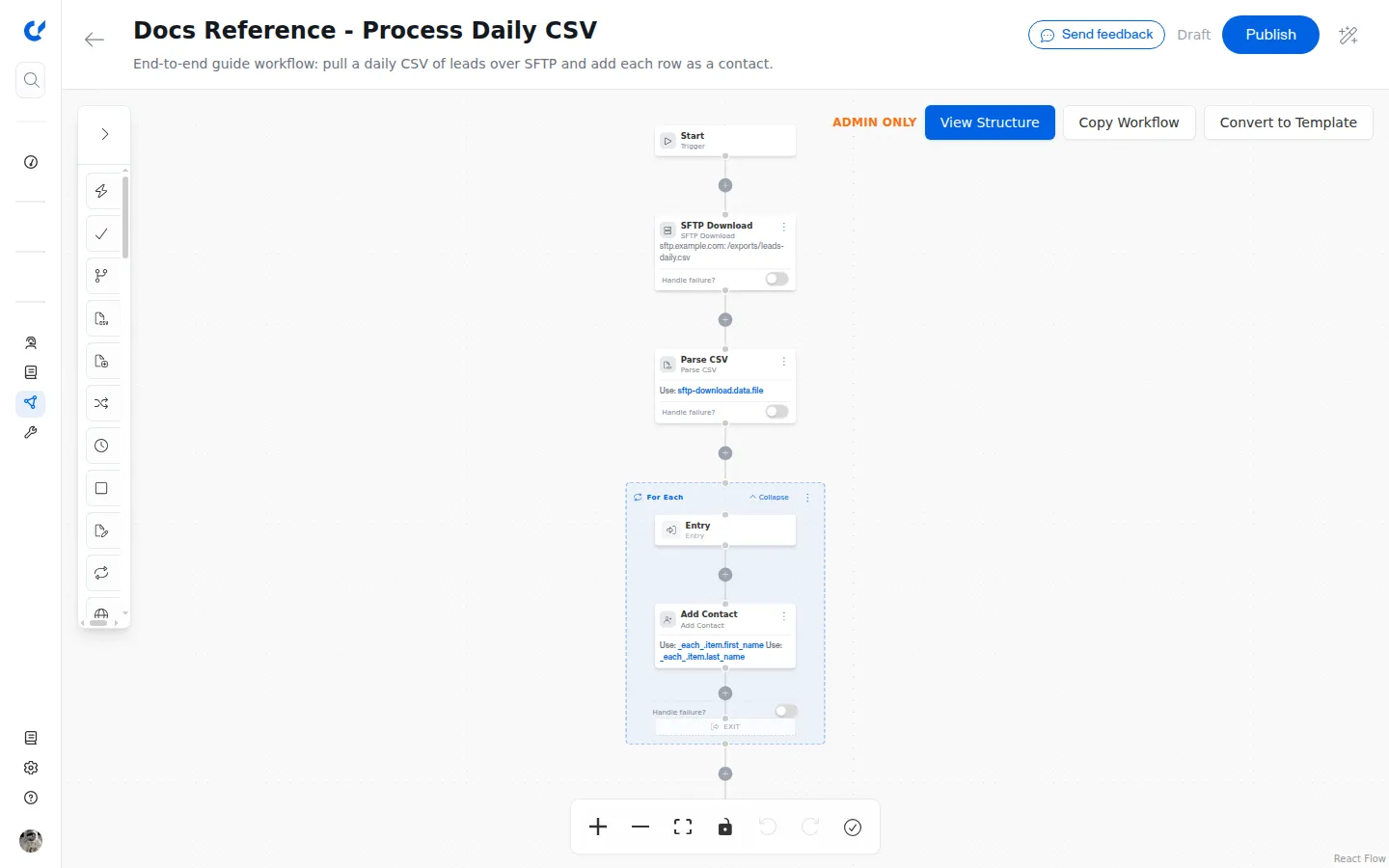
The workflow has these steps, running top to bottom:
Start, then SFTP Download, then Parse CSV, then a For Each loop that runs Add Contact for every row, then End.
What each step does
- Start is a scheduled trigger that runs the workflow once a day.
- SFTP Download connects to the partner’s server and pulls down the file.
- Parse CSV turns the downloaded file into a list of rows.
- For Each loops over the rows and runs Add Contact for each one.
- End finishes the run.
Build it step by step
Set the Start step to run on a schedule
Configure the Start step as a scheduled trigger so the workflow runs every morning without anyone kicking it off. See Triggers & Webhooks for how triggers are set up.
Add the SFTP Download step
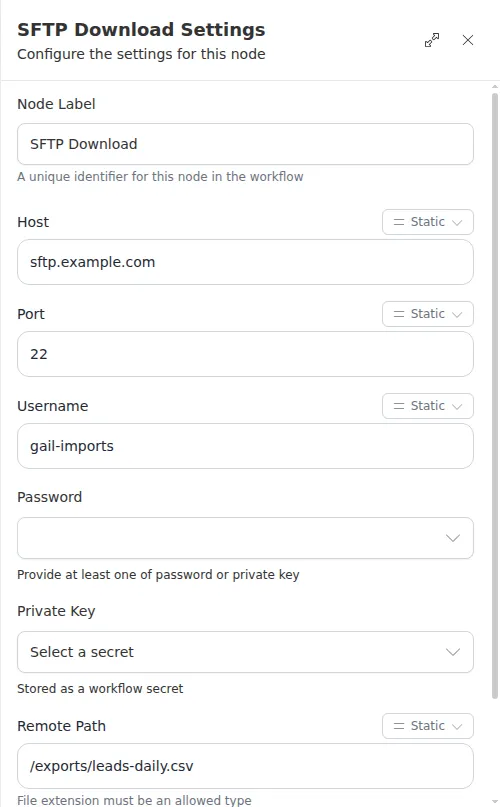
Add an SFTP Download step below Start and point it at the partner’s server:
Never type a password or private key into a step. The credential fields on SFTP Download show a secret picker, not a text box, so the value comes from a stored secret and stays out of the workflow. Set one up first. See Secrets.
Add the Parse CSV step
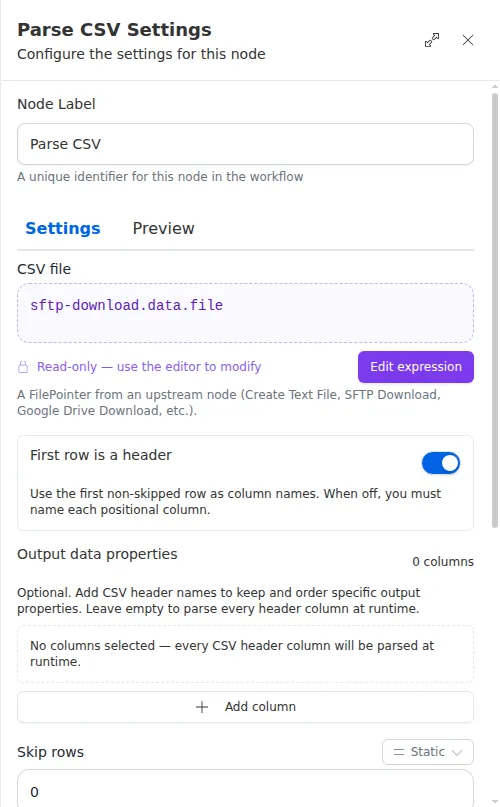
Add a Parse CSV step below SFTP Download. For the CSV file field, point it at the file the download produced:
Turn the “first row is a header” option on, so the column names come from the top row of the file.
Add the For Each loop
Add a For Each step below Parse CSV. For the Collection field, point it at the parsed rows:
Add Add Contact inside the loop
Inside the For Each loop, add an
Add Contact step. Inside a loop,
the current row is available as _each_.item, so read each column from it:
The column names after item match the header row of your file, so adjust
them to whatever the partner’s file uses.
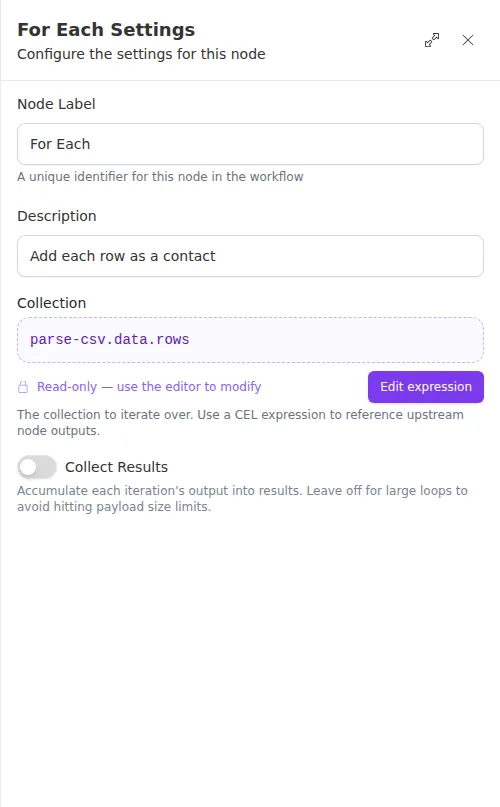
For Each has a “collect results” option that gathers every pass’s output into a list. Leave it off for large loops like a daily import; a long list of results can grow large fast, and each pass is still visible in the run history either way.