
Google Drive Download File
The Download File node pulls one file out of Google Drive and into your workflow, so a later step, such as an agent or an upload, can work with it. You point it at a file by its id, usually one you got from a List Files step.
When to use it
- You want to bring a Drive file into the run to analyze, parse, or forward it.
- You listed a folder and now want to download one or more of the results.
- You need a file from Drive to hand to another step later in the workflow.
Inputs
Any field can be a fixed value or an expression that reads from an earlier step, such as a file id from a List Files result.
Outputs
Example
Marcus Johnson’s renewal packet lives in Google Drive as a PDF. A workflow uses Download File to pull it into the run by its id, then hands the file to an Agent step that reads it and summarizes the key coverage changes.
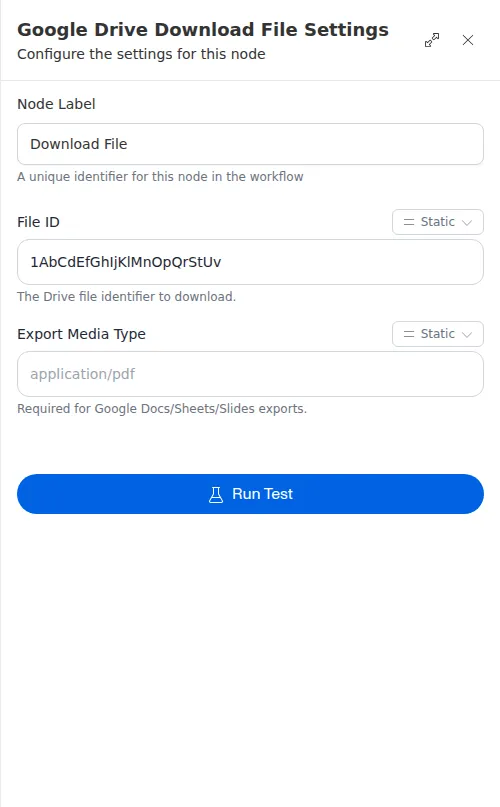
Google Docs, Sheets, Slides, and Drawings are not regular files, so they cannot be downloaded as-is - pick an “export as” format (for example PDF, .docx, or .csv) to convert them first. Regular files download directly. Files larger than 250 MB cannot be downloaded.