
Start
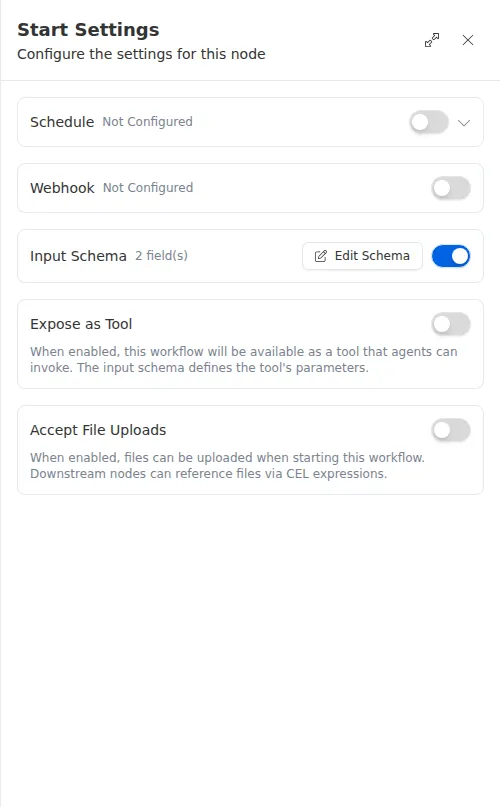
The Start node is where every workflow begins. Each workflow has exactly one, and it defines two things: how the workflow is triggered and what information it accepts when it runs. The Start node does no work of its own, it simply hands the incoming data to the steps that follow.
When to use it
- Every workflow needs one, so this is where you decide how a run gets kicked off: manually, on a schedule, by an incoming webhook, or by a JotForm submission, a Google Form response, or a Facebook lead.
- You want to collect specific fields at the start (a customer name, a policy number) so later steps can read them.
- You want to accept a file, such as a signed application, when the workflow starts.
Inputs
You can leave everything off. A Start node with no schedule and no webhook is a valid manual-trigger entry point that you run by hand. For how to set up each form and lead trigger, see Triggers & Webhooks.
Outputs
Example
An agency runs an underwriting workflow whenever a new quote request arrives. The Start node is set up with an input schema that collects the applicant’s name and a risk score, and it accepts a single PDF upload for the signed application. When Sarah Chen’s request comes in, later steps read her name and score straight from the Start node and pull the uploaded document into a document-analysis step.
The fields you define in the input schema are the contract for starting the workflow. If a later step reads a field that was never collected, the run will fail, so make sure every field a step depends on is listed here.