
Delay
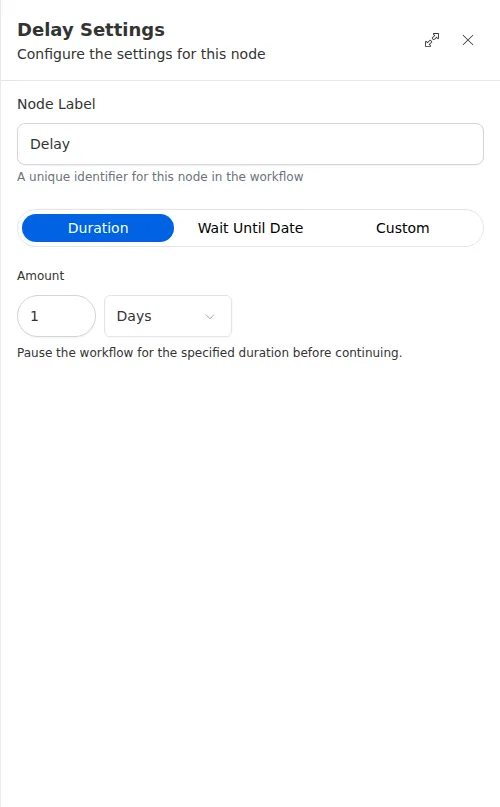
The Delay node puts a workflow on hold. You can pause for a fixed amount of time, such as one day, or wait until a specific date and time. The pause is reliable, so the run picks up right where it left off even if it spans hours or days.
When to use it
- You want to wait before a follow-up, like pausing a day after a quote before checking in with the customer.
- You want to hold a run until a scheduled moment, such as a renewal date.
- You want to space out steps so they do not all happen at once.
Inputs
A pause can be up to 14 days long. When you wait until a date, that moment must be in the future when the node runs.
Outputs
The Delay node produces no value. It resumes the run once the wait is over.
Example
After sending Sarah Chen an initial quote, an agency’s workflow uses a Delay node to wait one day before the next step, which sends a friendly follow-up message. Because the pause is reliable, the follow-up goes out on schedule even though the workflow sat idle overnight.
When you wait until a date that comes from an earlier step, make sure that moment is still in the future by the time the run reaches the Delay. A date that has already passed will fail, so add a fallback path if that is possible.