
SFTP Upload
The Upload node pushes a file from your workflow out to a path on a remote SFTP server. You give it the file from the run and the destination path, and it writes the file there.
When to use it
- You produced a file in the run and need to deliver it to a partner’s server.
- You downloaded or built a file and want to place it in a specific directory.
- You want to hand a file off to a system that picks files up over SFTP.
Inputs
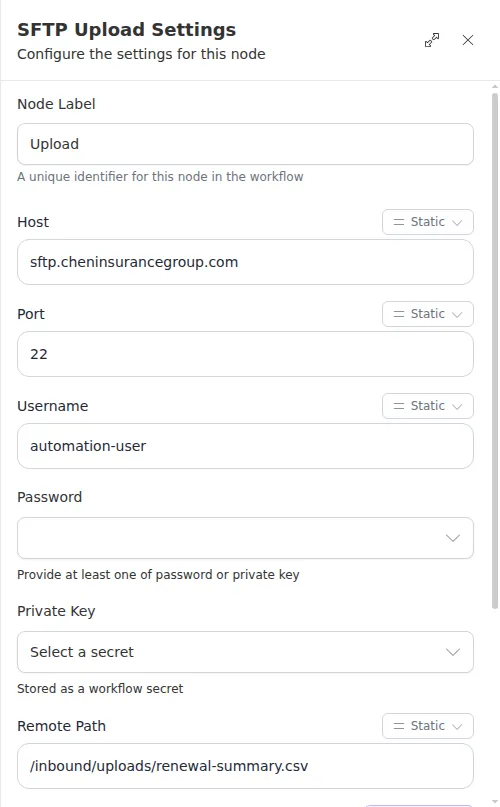
The password or key must reference a workflow Secret. Any field can be a fixed value or an expression that reads from an earlier step.
Outputs
Example
A workflow builds a nightly claims export for Chen Insurance Group and needs to
deliver it to the carrier’s SFTP server. It uses Upload to write the file to
/inbound/uploads/claims.csv, then follows with a
Check step so the run can raise
an alert if the delivery did not succeed.
The destination directory has to exist already and be writable by your username - Upload writes the file, it does not create missing parent folders. If the path is not writable the node hands back a failure you can branch on.