
Create CSV
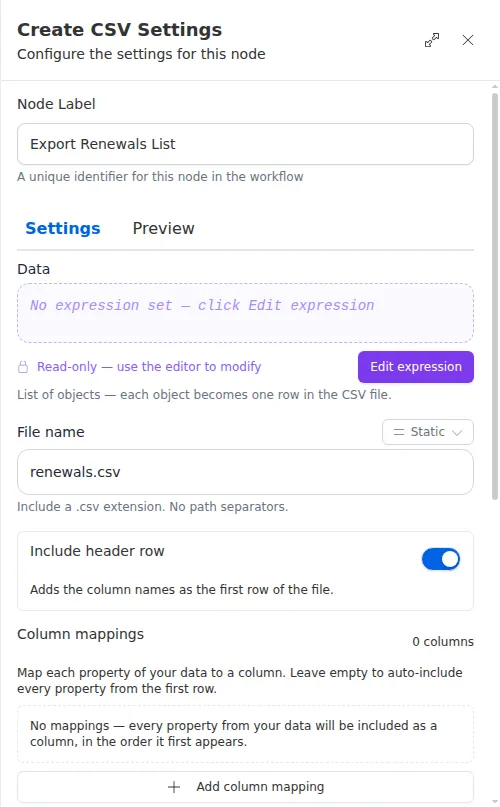
The Create CSV node takes a list of records and writes them out as a spreadsheet
file. You choose which columns to include, what to call them, and which rows make
the cut. The result is a .csv file later steps can email, upload, or hand off,
so a workflow can produce a ready-to-share export on its own.
When to use it
- You want to hand someone a spreadsheet of results, like a list of renewals or contacts, at the end of a run.
- You need to reshape data from an earlier step into a clean file, keeping only the columns that matter and giving them friendly names.
- You are exporting records to a system that expects a CSV upload.
Inputs
The list of records usually comes from an earlier step written as an expression, and the filter is an expression too, so the file adapts to whatever the run produced.
Outputs
The node either produces the file or reports a problem, so you can route the run if something goes wrong.
Example
At the end of a nightly run, a workflow has gathered every policy up for renewal
in the next thirty days. A Create CSV node writes them to renewals.csv, keeping
just the policyholder name, policy number, and premium columns with friendly
headers, and drops any record whose premium is blank. A
Send Email step then sends
the finished file to the team at Chen Insurance Group.
When you supply both Fields and Headers, they pair up by position and must have the same count: the first field takes the first header label, and so on. If the counts do not match, the node reports a problem, so double-check the two lists line up before you rely on the output.