
AgencyZoom Add Customer Note
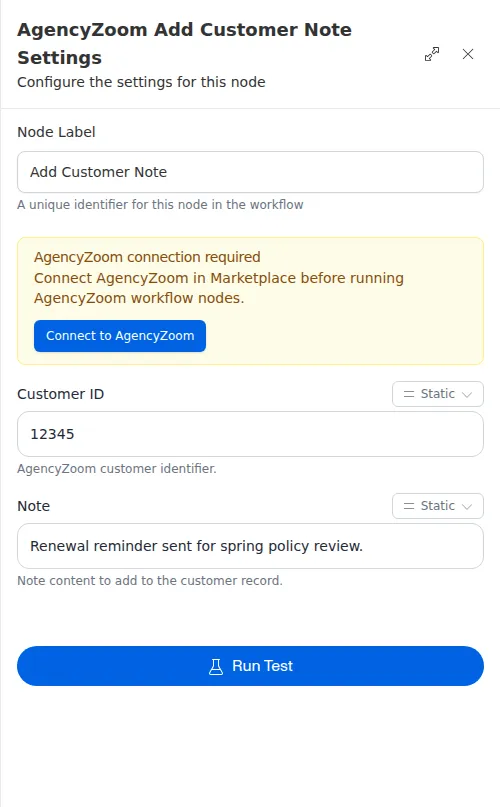
The Add Customer Note node writes a note onto a customer’s record in AgencyZoom. Use it to leave a trail of what a workflow did or found, so your team sees it the next time they open the account.
When to use it
- You want to record what a workflow did on a customer’s account.
- You want to flag something for your team to follow up on.
- You looked up a customer and want to leave a note on their record.
Inputs
Both fields can be fixed values or expressions that read from an earlier step.
Outputs
On success the node returns a confirmation that the note was added, including the new note’s id when AgencyZoom provides one.
Example
After a workflow sends Sarah Chen her renewal reminder, it uses Add Customer Note
to record Spring renewal reminder sent on her AgencyZoom account, so her agent
sees the outreach already happened before reaching out again.
The note text cannot be empty. If it comes from an earlier step and turns out blank when the run happens, the node hands back a failure instead of adding an empty note - so you can branch on it and skip or fix the note.