
Slice CSV
The Slice CSV node takes a large spreadsheet and divides it into a set of smaller files, each small enough to read in one pass. It hands back the list of pieces so a For Each loop can work through them one at a time, reading each with Parse CSV. It is the answer to a file that is simply too big to process whole.
When to use it
- A file has too many rows to read in a single step and you need to work through it in chunks.
- You are importing a large list and want to hand each piece to a step that accepts only so many records at a time.
- A recurring import can arrive at any size and you want it to process reliably whether it holds a hundred rows or tens of thousands.
Inputs
The file usually comes from an earlier step written as an expression.
Outputs
Example
Chen Insurance Group runs a nightly import that can bring in anywhere from a few hundred to twenty thousand contacts. A Slice CSV node divides the uploaded file into pieces of at most a thousand rows each, capped so every piece is exactly one bulk-import call. A For Each loop then reads each piece with Parse CSV and adds its contacts, so the same workflow handles a small file and a huge one the same way.
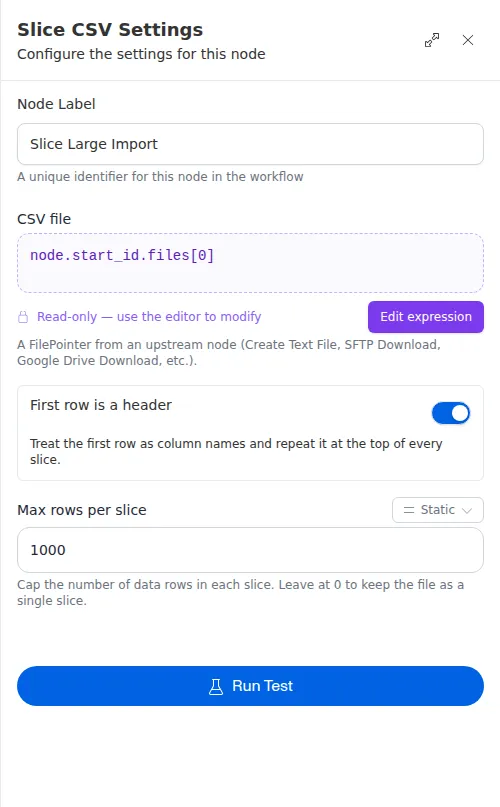
The Has Header setting here must match what you tell Parse CSV inside the loop. When you slice with a header, each piece carries its own copy of the header row, so the parse step should also expect one. An empty or header-only file is fine: it simply produces no pieces, and the loop does nothing.