
Add Contact
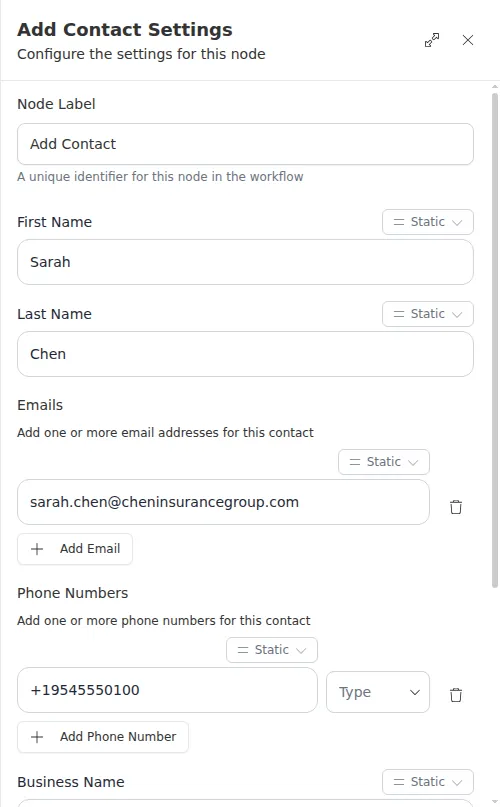
The Add Contact node creates one contact in Gail from details you already have: their name, emails, phone numbers, and business. It is the single-record way to get a person into your book of business mid-workflow, so later steps can add them to a list, enroll them in a campaign, or reach out to them.
When to use it
- A form submission or an earlier step gives you one new person to add to Gail.
- You want to create a contact and then immediately place them in a list or campaign in the same run.
- You have structured details for the contact, possibly with more than one email or phone number.
For importing many people at once, use Add Bulk Contacts instead.
Inputs
Any field can be a fixed value or an expression that reads from an earlier step.
Outputs
Example
A renewal reminder form comes in for Sarah Chen at Chen Insurance Group. A workflow uses Add Contact to create her record with her email and mobile number, then feeds the new contact’s ID into an Add Contact to Campaign step to enroll her in the spring renewal outreach, all in one run.
At least one phone number is required, and every email you provide must be a valid address. If a value comes from an earlier step and turns out to be empty or malformed when the run happens, the node reports the problem instead of creating the contact, so you can route to a follow-up step.