
Outbound Call
The Outbound Call node places a live phone call through Gail to a number you choose. The call is driven by a script that tells the agent how to open, what it is trying to accomplish, what rules to follow, what to do if it reaches voicemail, and how to close.
When to use it
- You want to reach a customer by phone as part of a workflow, such as a renewal reminder or an appointment confirmation.
- You want each call to follow a consistent script with a clear objective and guardrails.
- You want to place the call automatically when a run reaches the right point.
Inputs
The number and the script can be fixed values or expressions, so a call can be personalized from earlier steps.
Outputs
Outbound Call does not hand back a Call ID. To look at what happened on a call afterward, use Get Call Data in a workflow where you already have the call’s ID, such as one started by a call-completed trigger.
Example
The day before a renewal is due, a workflow places an Outbound Call to Sarah Chen with a “Renewal Reminder” script: it greets her by name, aims to confirm the renewal date, keeps to a friendly policy that avoids quoting new pricing, and leaves a short voicemail if she does not pick up.
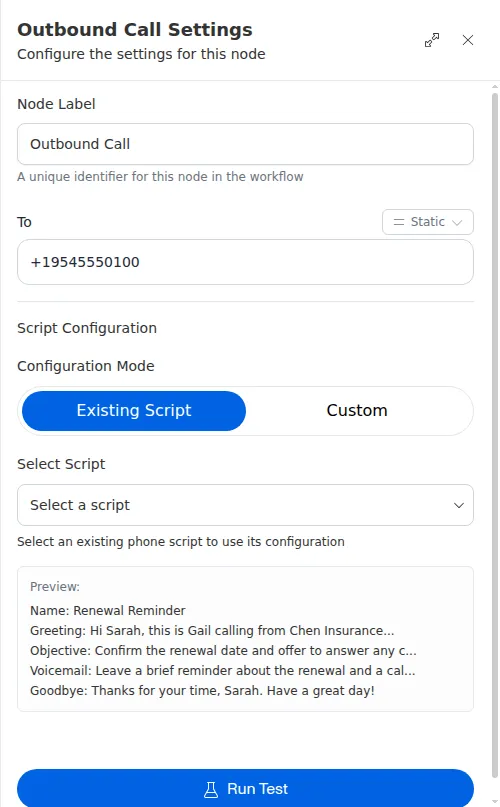
The greeting, objective, and goodbye cannot be blank, and the number must be a valid phone number. Give the policy real guardrails, since it is what keeps the agent on message when the conversation goes off-script.