
Conditional
The Conditional node is a fork in the road. It checks a list of conditions in order and sends the run down the path attached to the first one that is true. If none are true, the run follows the default path. Each path can lead to a completely different set of steps.
When to use it
- You need the workflow to do different things for different cases, such as high-value versus routine accounts.
- You want mutually exclusive routes with a catch-all fallback for everything that does not match.
- You want to branch on the result of an earlier step, like a Check outcome or a score.
If you only need a single labeled verdict rather than separate paths, reach for Check instead.
Inputs
Branches are checked top to bottom, and only the first matching branch runs. Conditions are written as expressions that read values from earlier steps.
Outputs
The Conditional node produces no value of its own. Its job is to choose which path the run follows next.
Example
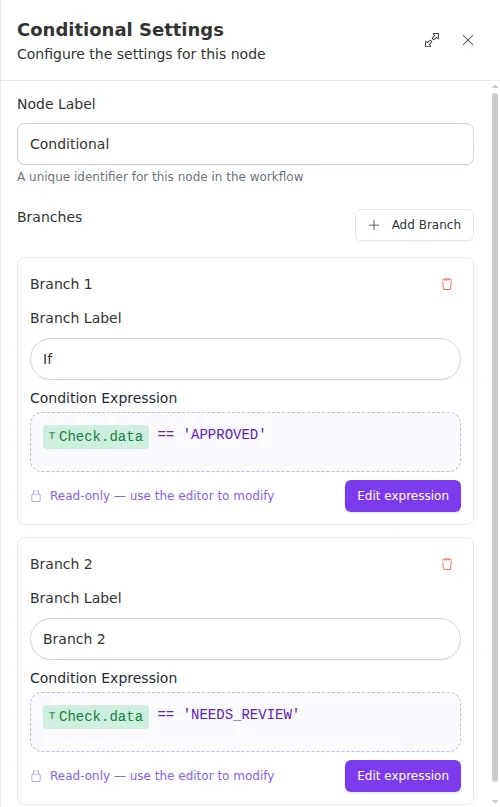
An agency routes inbound quote requests based on the decision an earlier
Check step produced. The
Conditional node has two branches: if the decision is APPROVED, the run goes
to the path that issues the policy; if it is NEEDS_REVIEW, it goes to the path
that assigns a reviewer. Anything else follows the default path, which notifies
the customer that more information is needed.
Order matters. Because only the first matching branch runs, put the most specific condition at the top and let broader conditions fall below it. Anything that should always be caught belongs in the default path.