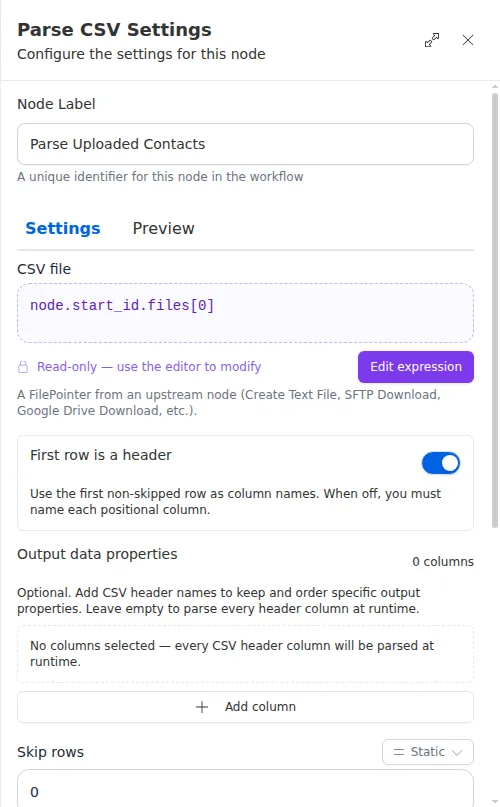
Parse CSV
The Parse CSV node reads a .csv file and turns it into a list of rows the
workflow can work with. Each row becomes a record with named columns, so later
steps can read individual values, filter, or loop over every row. It is how a
workflow makes sense of a spreadsheet that arrived as a file, whether it was
uploaded at the start or produced by an earlier step.
When to use it
- Someone uploads a contact list or import file and you need to process each row.
- An earlier step produced a spreadsheet file and you want to read its contents back in.
- You want to filter or limit a file’s rows before acting on them, such as keeping only Florida contacts.
Inputs
The file usually comes from an earlier step written as an expression, and the filter is an expression too.
Outputs
Column names are tidied into a consistent form so you can read them the same way
every time, for example a column titled First Name becomes available as
first_name.
Example
A workflow starts when an agent uploads a spreadsheet of new prospects. A Parse CSV node reads the file with its header row, keeps only the name, email, and phone columns, and drops any row outside Florida. A For Each step then walks the resulting rows, adding each prospect to the agency’s CRM.