
Send Email
The Send Email node sends an email to a recipient. It handles a plain text message, a formatted HTML version, and attachments, so a workflow can deliver a notice, a report, or a finished document on its own. The subject, body, and attachments can all be built from values the run gathered.
When to use it
- You want to send a customer a document the workflow produced, such as a certificate or a report.
- You need to notify someone that a run finished or reached a milestone.
- You want a personalized message whose subject and body come from earlier steps.
Inputs
The recipient, subject, and body can be written as expressions or string templates, so the message adapts to the run.
Outputs
The Send Email node reports whether the email was sent. There is no other value to read back. If it fails, you can route the run to handle the problem.
Example
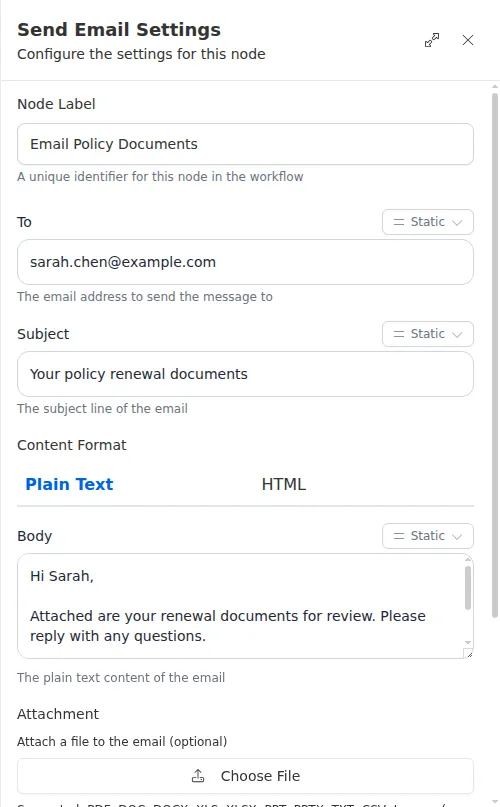
A renewal workflow gathers Sarah Chen’s updated documents and produces a certificate PDF with a Fill PDF Form step. A Send Email node then emails her the documents: the subject and greeting carry her name, the body explains what is attached, and the certificate rides along as an attachment, all assembled without anyone drafting the message.
Attachments have a size limit, and each attached file must be reachable when the step runs. If a file is missing or too large, the node reports the problem and stops before sending, so confirm the file was produced by an earlier step before attaching it here.