
Data Transform
The Data Transform node builds a tidy set of named values that later steps can read. You give each value a name and tell it where to come from, whether that is a field from an earlier step, a combination of several fields, or a fixed value. It is the go-to node for reshaping and relabeling data as it moves through a workflow.
When to use it
- You want to pull a few fields out of a larger result and give them clear, simple names.
- You want to combine values, such as joining a first and last name into a full name.
- You want a clean snapshot of key values in the run history so it is easy to see what the workflow was working with.
Inputs
Each value can be a fixed entry you type in, a reference to an earlier step, or a template that stitches several values together. See expressions for how to reference earlier steps.
Outputs
Example
An underwriting workflow has gathered an applicant’s details and a decision
across several earlier steps. A Data Transform node pulls the important pieces
into one clean record for Marcus Johnson: customer from the start data,
decision from the earlier Check
step, and a fixed reviewed_at label. Later steps and the run history now read
these three tidy values instead of digging through raw step output.
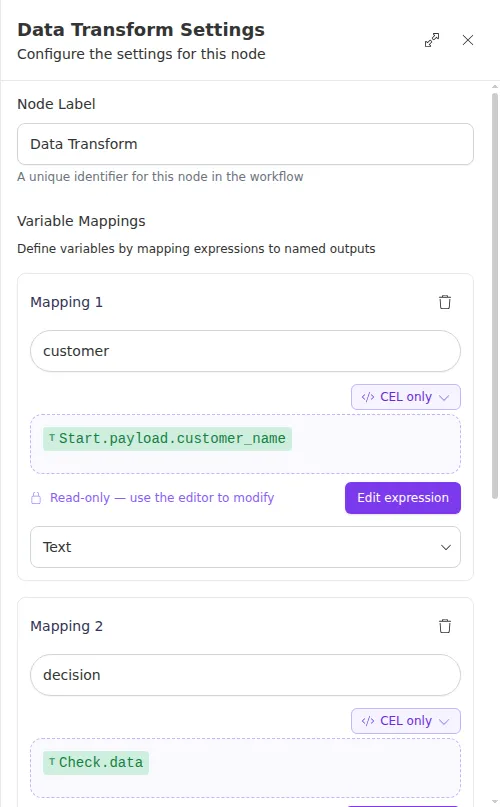
Names you choose here become how later steps refer to the values, so keep them short and descriptive. This node does not change any earlier step’s output, it just creates a fresh, well-named copy to work from.