
Add Contact to Contact List
The Add Contact to Contact List node places existing contacts into an existing list. Use it to enroll people into a curated group, for example moving a lead into a “Qualified Leads” list once they clear a scoring step.
When to use it
- A contact just qualified for a segment and you want them in the matching list.
- You created a contact earlier in the run and now want to add them to a list.
- You have a batch of contact IDs and want them all in the same list.
Inputs
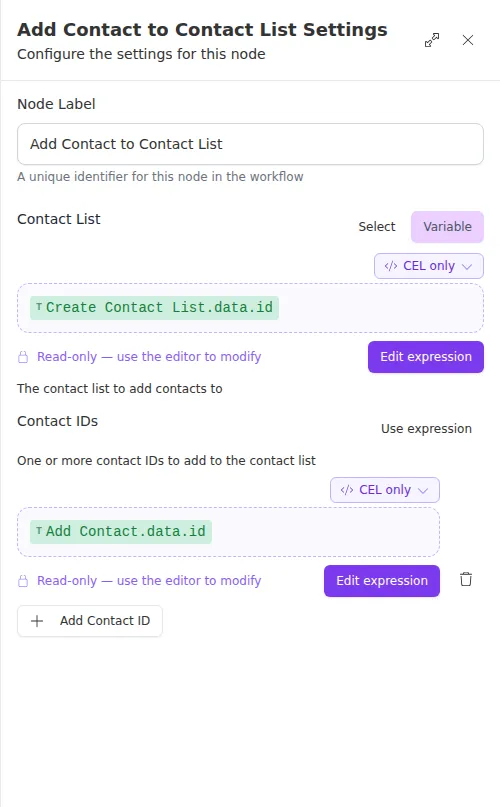
The Contacts field can be a fixed set of IDs, a mix of fixed IDs and expressions, or a single expression that resolves to a whole list when the count is not known until the run.
Outputs
Example
A workflow creates a “High-Value Renewals” list and, as it processes each qualifying policyholder, uses Add Contact to Contact List to add them to it. The list ID comes from the earlier Create Contact List step, and each contact ID comes from the Add Contact step that created them.
Adding contacts to a list is accepted for processing rather than finished the instant the node succeeds. If a later step depends on the contacts already being in the list, do not assume they are there immediately after this node runs.