
Web Search
The Web Search node runs a search on the public web and returns a list of matching pages, each with its address, title, description, and content. It finds pages; it does not interpret them. Pair it with an Agent or Web Extract when you need to turn those pages into an answer.
When to use it
- You need current, real-world information a workflow cannot get from your own systems, like a published rate, a filing, or a recent news item.
- You want to locate the right pages before pulling specific details from them.
- You are verifying a business or person against public sources as part of an intake or underwriting flow.
Inputs
Outputs
Example
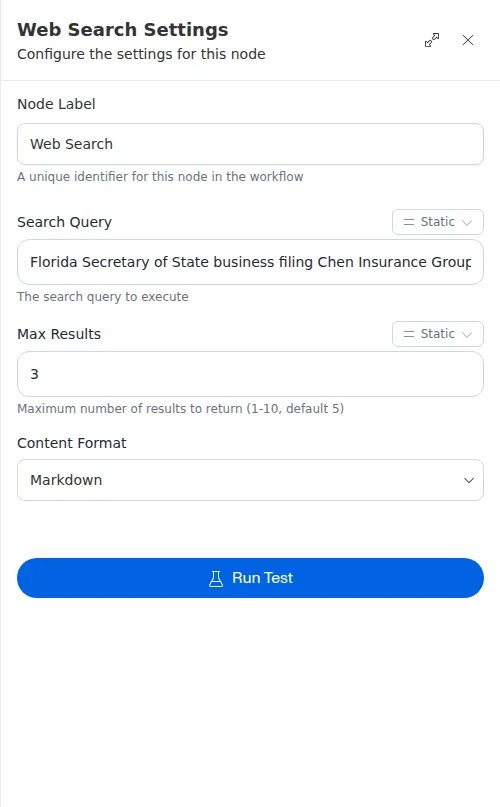
Before quoting a new commercial account, an agency wants to confirm the business exists and find its state filing page. A Web Search node searches for the company name alongside “Secretary of State business filing” and returns the top three results. A downstream Web Extract step then opens the most relevant one and reads the filing status, so an underwriter never has to look it up by hand.
Web Search only finds pages, it does not read them for you. Feed its results into an Agent to pull out an answer, or into Web Extract to grab specific fields. Asking for a handful of results usually beats asking for one, since the best page is not always first.