
Send SMS
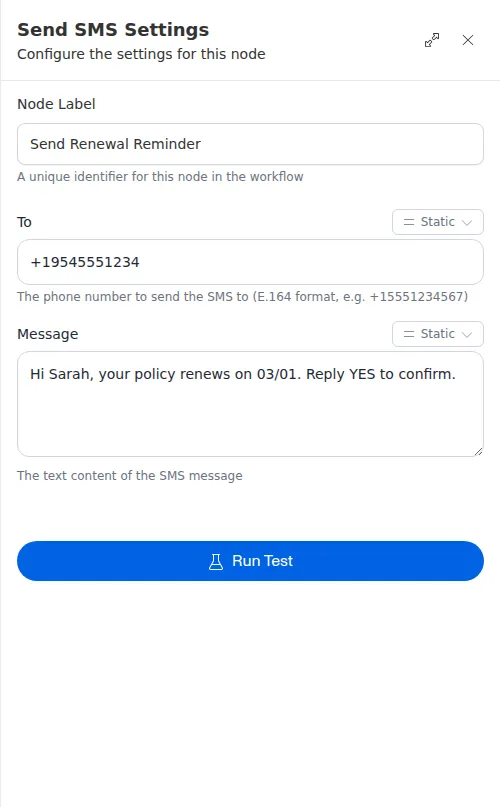
The Send SMS node sends a text message to a phone number. Use it to confirm a request, remind someone of an appointment, or follow up the moment a run reaches a point that matters. The message can be fixed text or built from values the workflow gathered along the way.
When to use it
- You want to send a quick confirmation or reminder to a customer.
- You need to follow up automatically when a workflow reaches a certain step.
- You want to notify someone by text rather than email.
Inputs
Both can be written as an expression or a string template, so the number and the wording can come from earlier steps.
Outputs
The Send SMS node reports whether the message was accepted for delivery. There is no other value to read back. If it fails, you can route the run to handle the problem.
Example
When a new quote request comes in from Sarah Chen, a workflow sends her a text right away: a short confirmation that her request was received, with her name and the renewal date filled in from the request. Sending it as the run starts means she hears back within seconds, before anyone on the team has picked up the file.
A text message send cannot be undone and is not retried, so make sure the number and wording are right before the run reaches this step. When either comes from an earlier step, add a Check or Conditional ahead of it to confirm the number is present and valid.