
HTTP Request
The HTTP Request node makes a call to an outside service and hands the response back to your workflow: the status code, the body, and the headers. It is the general-purpose way to talk to any system that has a web API, whether you are looking up a record, pushing an update, or triggering something elsewhere.
When to use it
- You need to pull data from another system mid-run, such as a policyholder’s account details from your agency management system.
- You want to send information out to a service, like posting a new record or kicking off a process in another tool.
- You need to react to whatever the service returns, for example retrying, branching, or notifying someone when a call comes back with an error.
Inputs
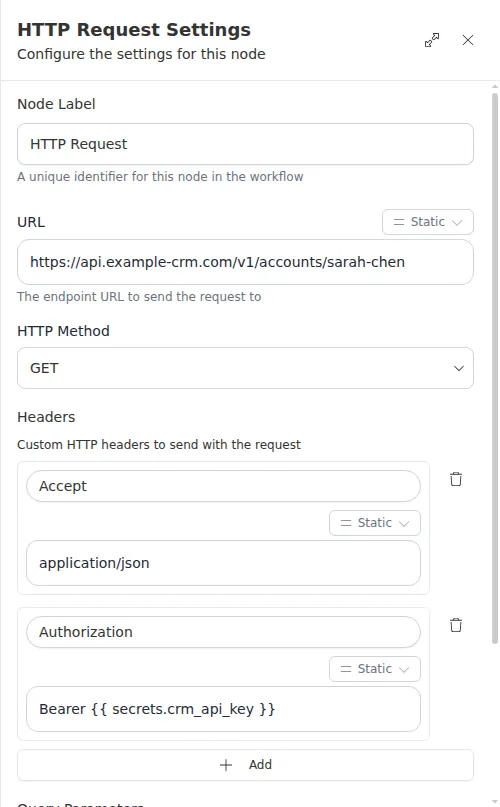
Any of these can be written as an expression so the call adapts to earlier steps, and secrets like API keys can be pulled in without hard-coding them (see Secrets).
Outputs
Example
Marcus Johnson submits a new quote request. A workflow calls the agency’s
management system to pull his existing account before deciding how to route the
request. The HTTP Request node is set to GET the account URL, with an
authorization token supplied from a secret. A later
Conditional step reads
the status code: if it comes back in the 200s the run continues with his account
data, and if it comes back 404 the run branches to create a fresh contact
instead.
This node never stops the run on its own, even when a call fails. It always
hands back a result so you stay in control. Follow it with a
Check or
Conditional that reads
the status code, and treat 0 as “the service could not be reached.”