
JotForm Submit
The Submit node sends a set of answers to one of your JotForm forms, creating a new submission. You label each answer with the question’s label as it reads on the form, and the node lines your answers up with the right questions.
When to use it
- You want to record data your workflow gathered as a JotForm submission.
- You collect leads or intake details and want them to land in an existing form.
- You want to feed answers from an earlier step straight into a form.
Inputs
The form and answers can be fixed values or expressions that read from an earlier step. The API key must reference a workflow Secret. For a multi-part field like Full Name, label each part with its own label (“First Name”, “Last Name”).
Outputs
Example
Chen Insurance Group runs a JotForm intake form for new prospects. When a lead
arrives through another channel, a workflow uses Submit to record it: it labels
the answers “First Name” as Sarah, “Last Name” as Chen, and “Email” as her
address, with the API key supplied from a secret. JotForm hands back the new
submission id for the run to log.
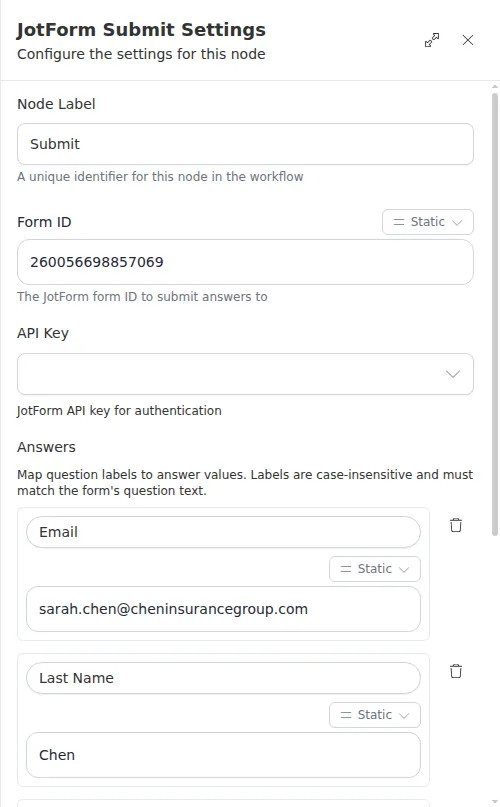
Answer labels must match the question labels on the form, matched without regard to case. If a label matches no question, the node reports the unmatched labels instead of submitting - copy the labels exactly as they read on the form.