
Agent
The Agent node gives an AI agent a set of instructions and some data to work with, and gets back a tidy set of fields you defined in advance. Instead of a free-form paragraph, you decide exactly what should come out, such as a lead quality, a reason, and a suggested next step, and the rest of the workflow reads those fields directly.
When to use it
- You want to classify or score incoming data, like rating a lead hot, warm, or cold from a web form submission.
- You need to pull structured details out of messy text, such as turning an email or support ticket into named fields.
- You want to generate tailored content, like a personalized follow-up message built from a customer’s details.
- You need a judgment call that would be hard to write as fixed rules.
Inputs
Outputs
Example
A web lead comes in for Sarah Chen. An earlier step has already pulled her
account details, and an Agent node is told to classify the lead and recommend a
next step. Its output fields are quality, reason, and suggestedAction. The
agent returns quality: warm, a short reason, and a suggested action, and a
Conditional step then
routes hot leads straight to a salesperson and nurtures the rest.
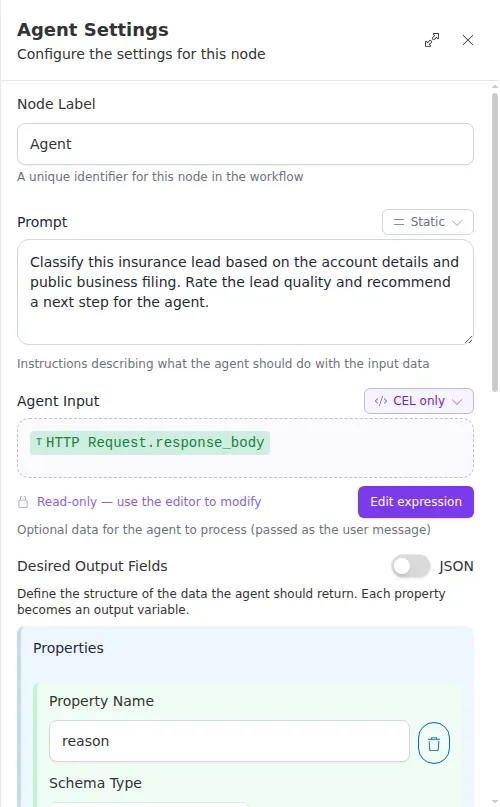
The output fields are where the quality comes from. Give each one a clear name and a short description of what it should contain, and keep the list focused on what later steps actually need. Vague or overlapping fields lead to vague answers.